






7 Best Tab Management Chrome Extensions
Stop drowning in browser tabs. Discover the best Chrome tab management extensions to organize your work, reduce memory usage, and stay focused every day.

Dudu
Nov 22, 2025
Last Updated Nov 22, 2025
Image Credit: Toolfolio
Look at the top of your browser. Is it a mess?
You probably have so many tabs that you cannot read the titles. This is called tab overload. We all do this. We open one page, then another, then many more for work or fun.
This mess hurts your work. It slows down your computer. Each tab eats up your computer's memory (RAM). You waste time trying to find the one site you need.
Well, all you need is a Chrome extension to fix this. A Chrome tab manager extension helps you save groups of sites for later. They organize the links you visit most. They bring order to your browser.
In this article, we have listed some of the best Chrome tab organizers. You can compare them and choose the one that fits the way you work.
1. Tabsurfer
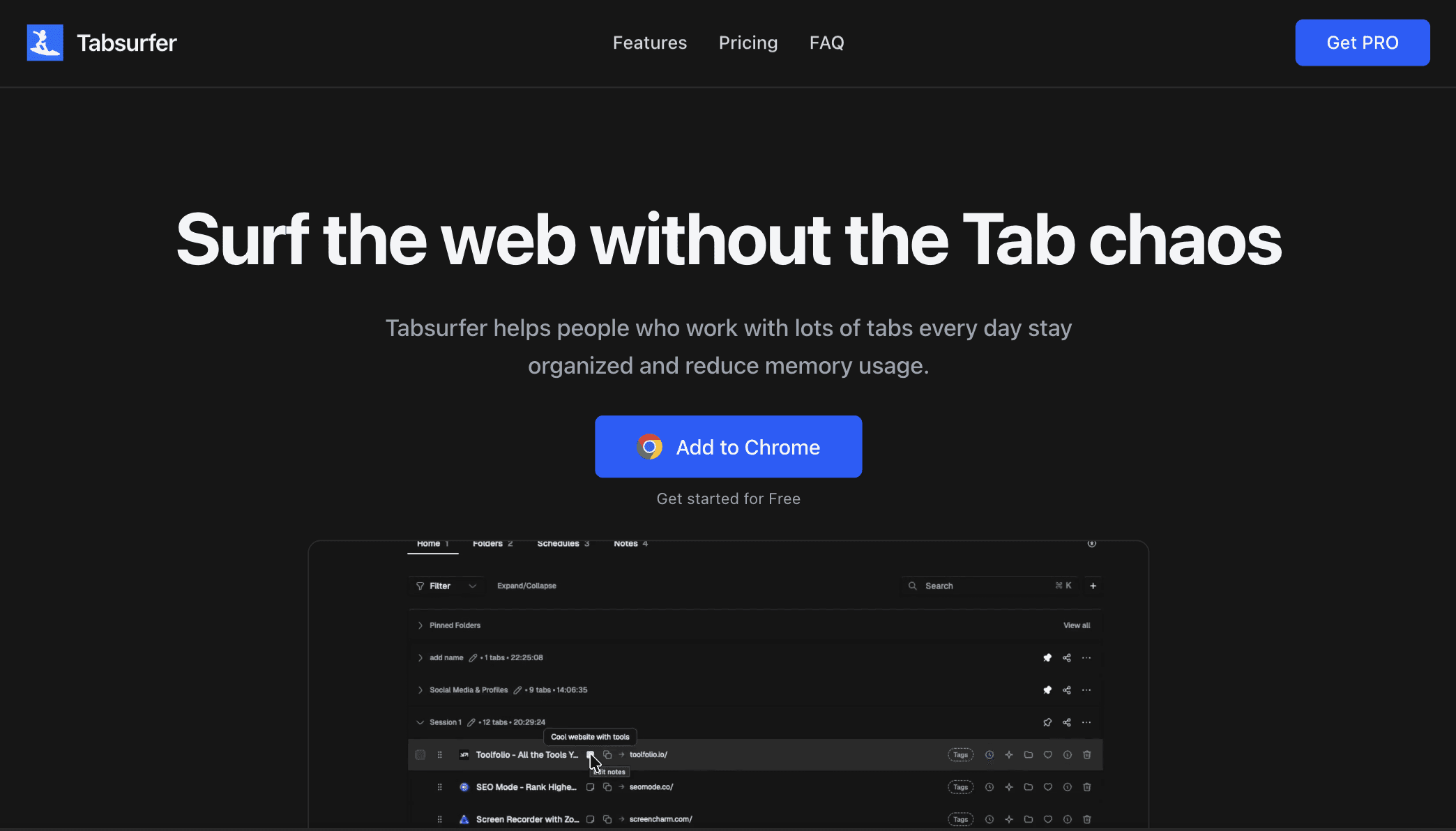
Tabsurfer is a lightweight tab manager built for people who work with many tabs every day.
Tabsurfer lets you collapse active tab sessions into clean groups. This instantly reduces clutter and frees memory. You can reopen full sessions at any time, which makes it useful for recurring work, research, and long browsing sessions. Search is instant, so you can find any tab by title or URL in seconds.
You can group tabs into folders, tag them, and pin important pages. Schedules let you auto-open selected tabs at a specific time, which is helpful for daily routines or planned work. Shareable links turn many tabs into a single clean link for easy sharing.
You get quick previews of tab content, keyboard shortcuts for fast navigation, and the option to send tab content to AI for summaries and analysis. Notes and reminders are designed to keep context tied to tabs instead of scattered across apps.
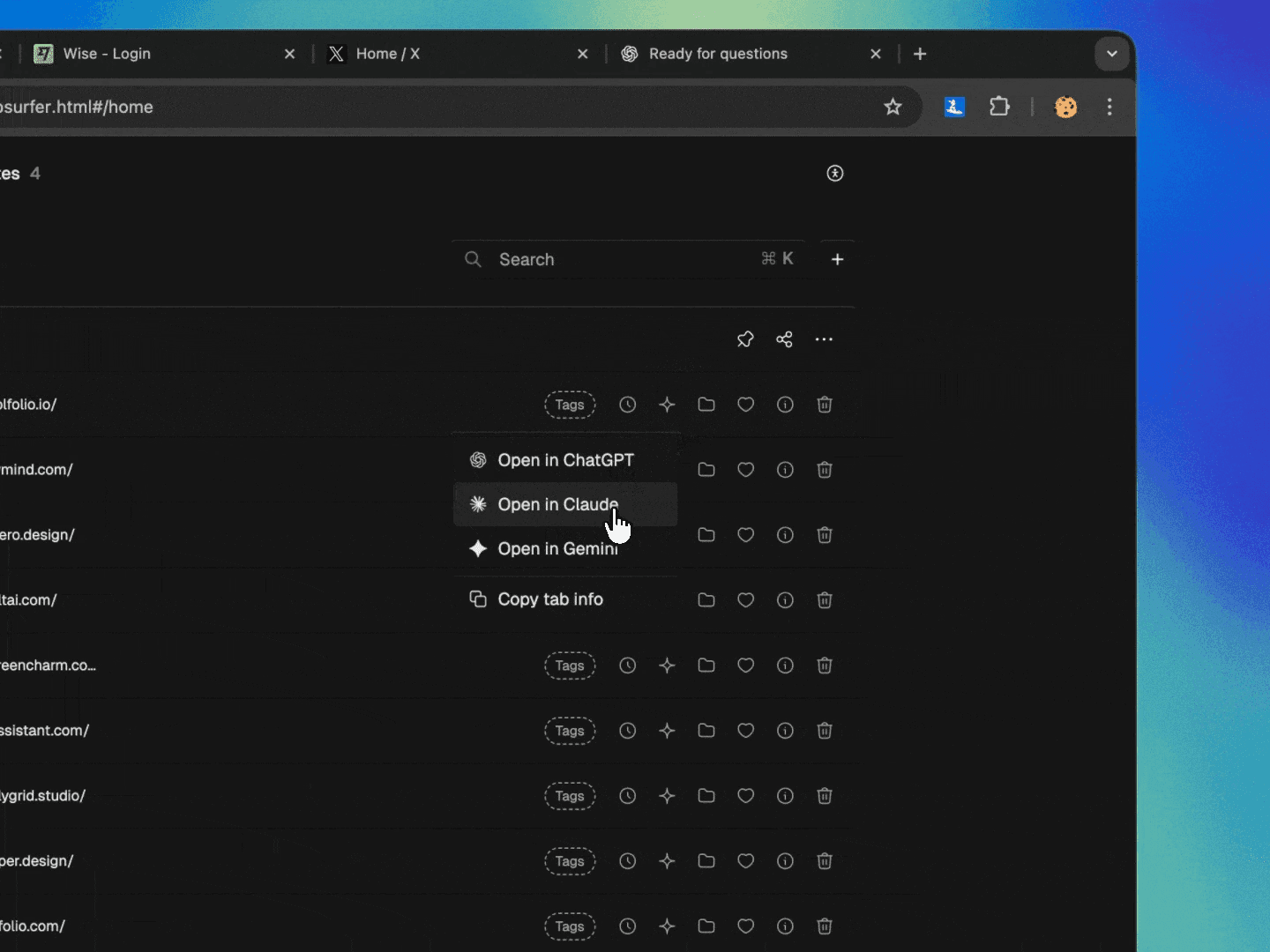
Tabsurfer is built to stay simple. It avoids bloated features, runs fast, and does one job well: keeping your tabs under control.
Key Features
Collapse tab sessions to reduce clutter and memory use
Restore full tab sessions instantly
Folders for grouping related tabs
Tags for fast filtering and organization
Pin important tabs
Instant search by tab title or URL
Quick tab previews for fast recall
Schedules to auto-open tabs at set times
Share multiple tabs as a single link
Keyboard shortcuts for faster navigation
AI summaries for tab content
Notes and reminders tied to tabs
Open entire tab groups at once
Pricing
Free: $0. Core tab management features, session collapse, instant search, schedules, shortcuts, previews, and limited folders and tags.
Pro (Lifetime): $49 one-time. Unlimited folders, tags, links, shareable links, AI summaries, notes, priority support, no ads, and lifetime access.
Get Tabsurfer for Life
2. mymind
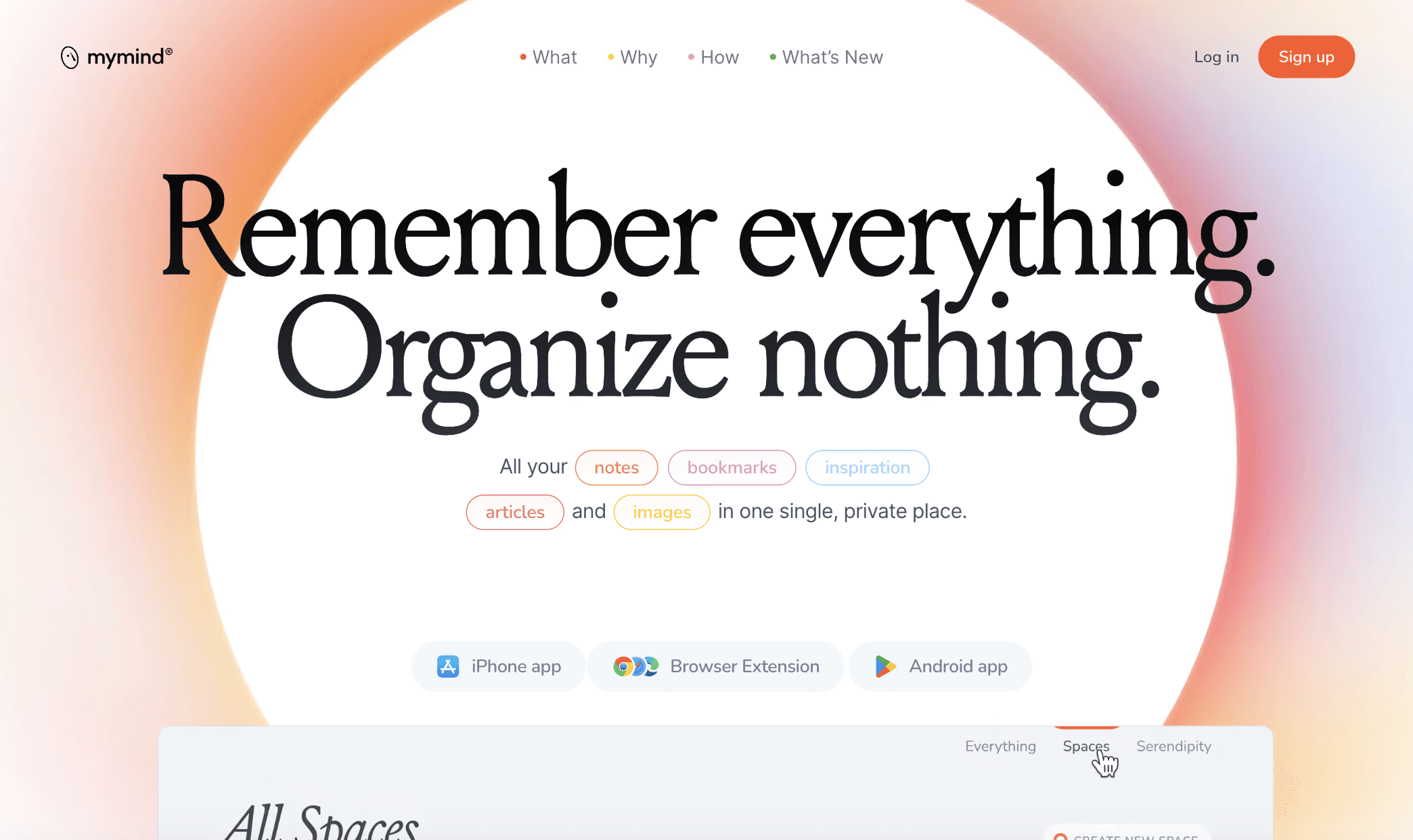
mymind is a private workspace where you can save anything you want to remember. It keeps your notes, bookmarks, images, articles, and ideas in one place. You do not need folders, labels, or tags.
You save something, and mymind organizes it for you. It works like a personal search engine built for your own mind.

mymind has a chrome extension, which you can use to save anything and is built for people who want less clutter and fewer steps.

When you save a page, mymind understands what it is. It knows if it is an article, a product, a book, or something else. It presents everything in a clean, visual layout that feels calm and simple. The goal is to reduce friction, protect your privacy, and help you focus on what matters.
mymind uses AI to recognize content and details.
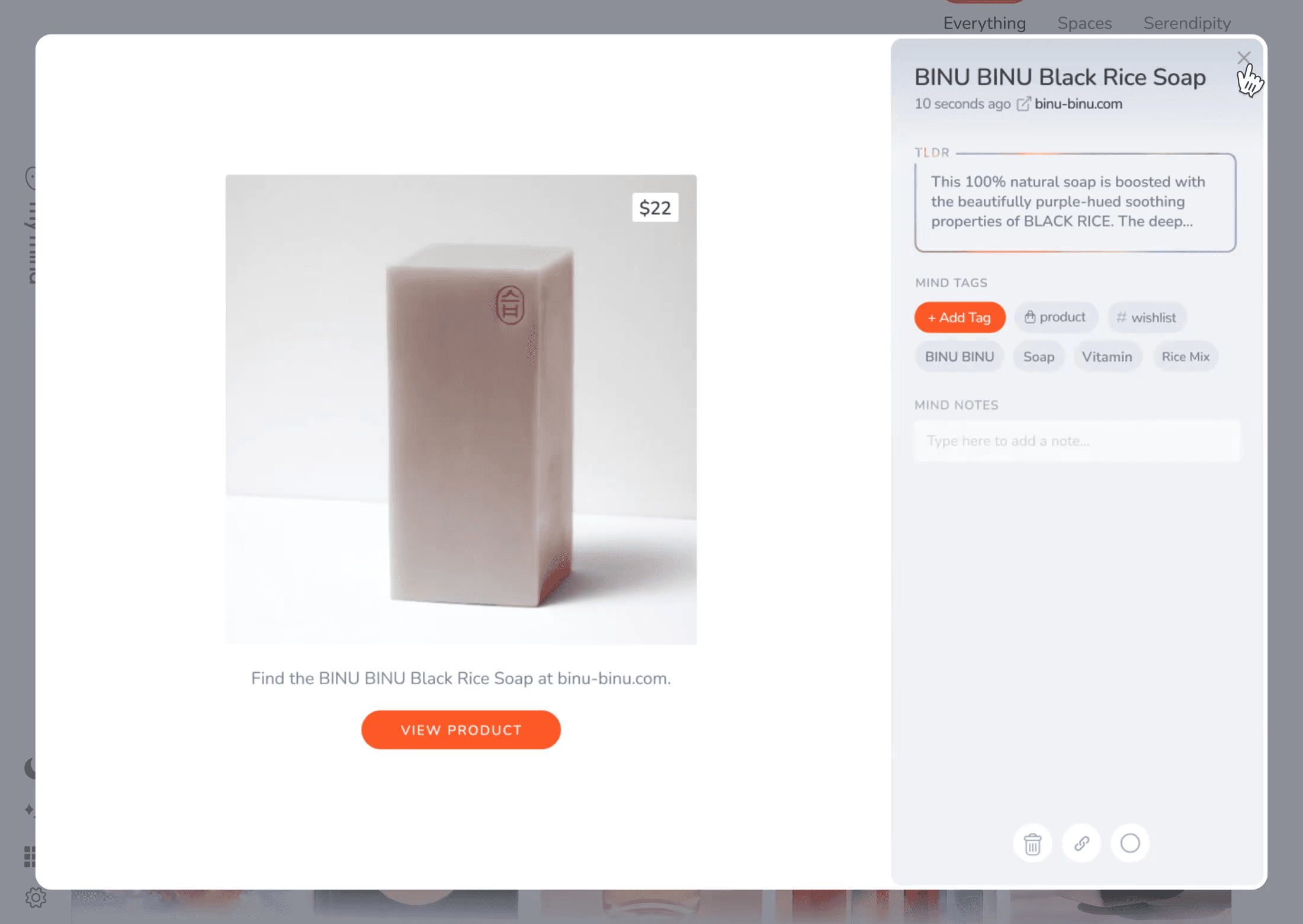
It can read text inside images, find colors, spot brands, and pull highlights from pages. Search is fast and flexible. You can search by keyword, color, date, or any hint you remember. This makes it easy to find old ideas, saved links, or notes you wrote on the go.
Key Features
One private space for notes, bookmarks, articles, and images
AI-powered auto-organization with no folders or tags
Smart search by keyword, color, brand, or date
Read-later mode without clutter or ads
Smart Bookmarking that identifies the type of content
Frictionless note-taking with Focus Mode
Smart Spaces that sort items automatically
Text recognition that reads words inside images
Highlights saving and quick capture tools
Sync across all devices
Pricing
Student of Life: $7.99/month Includes unlimited cards, intelligent bookmarking, AI image tagging, image text recognition, Smart Spaces, Serendipity, and full privacy.
Mastermind: $12.99/month Includes everything in Student of Life plus advanced AI, Reading Mode, full article backups, video uploads up to 500 MB, Same Vibe mood boards, AI summaries, custom iOS icons, PDF analysis, and full privacy.
Try mymind
3. OneTab
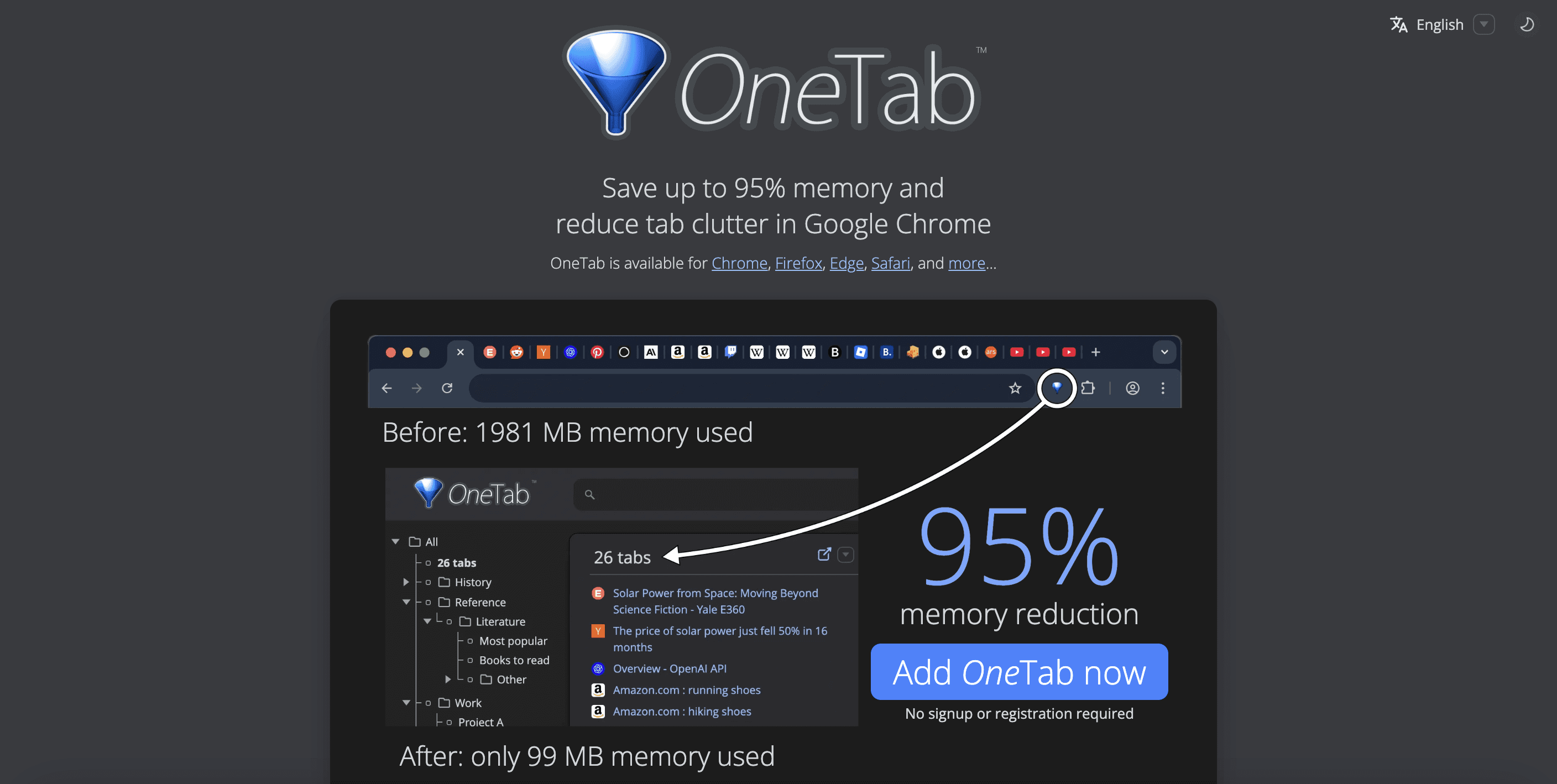
OneTab is a simple tool that clears tab clutter in one click. When your browser fills up with tabs, you can hit the OneTab icon and turn everything into a clean list.
This reduces memory use, speeds up your computer, and gives you a calm workspace. You can restore tabs one by one or bring them all back at once.
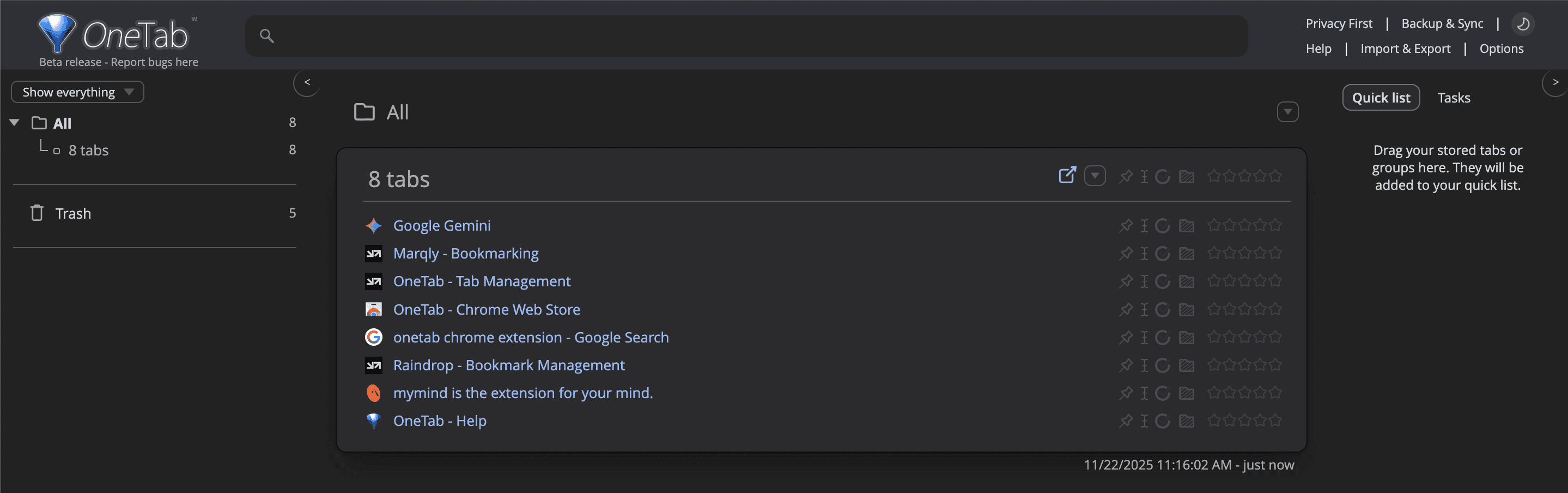
The extension works by closing your open tabs and saving their URLs in a single page. This can cut memory use by up to 95%, which is helpful on both older and newer machines. With fewer active tabs, your browser uses less CPU, runs smoother, and avoids slowdowns.
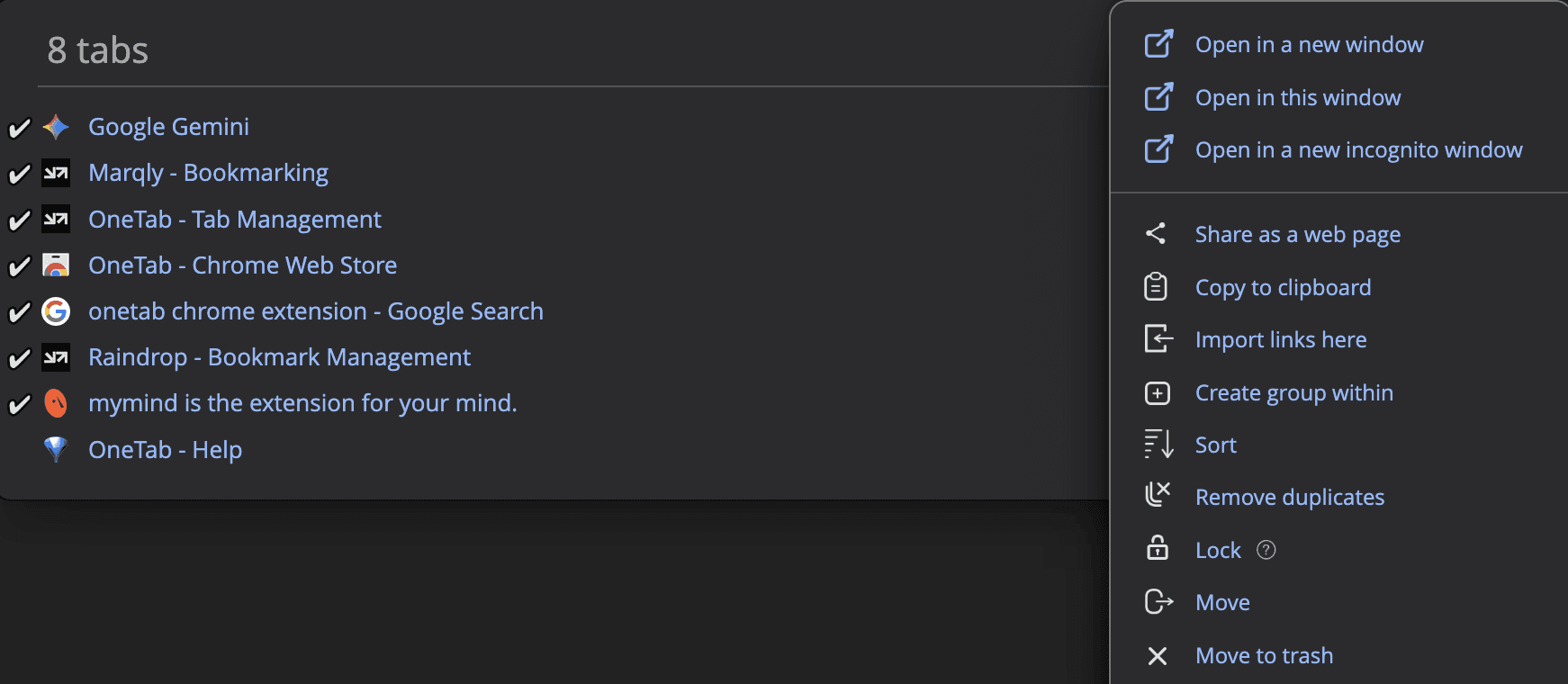
The tool includes export and import options, so you can move your tab list between devices or keep a backup. Even if your browser crashes or restarts, your OneTab list stays safe.
The extension also supports sharing tabs through a generated web page, which is useful when sending links to teammates or to your other devices.
Key Features
One-click tab cleanup that converts tabs into a simple list
Up to 95% memory reduction in your browser
Private by design, with no data sent to OneTab servers
Restore tabs individually or all at once
Export and import tab lists
Share tab lists through a public web page when you choose to
Keeps your saved tabs safe during crashes or restarts
Helps reduce CPU load for smoother performance
Pricing
OneTab is free to use
Try OneTab
4. Raindrop
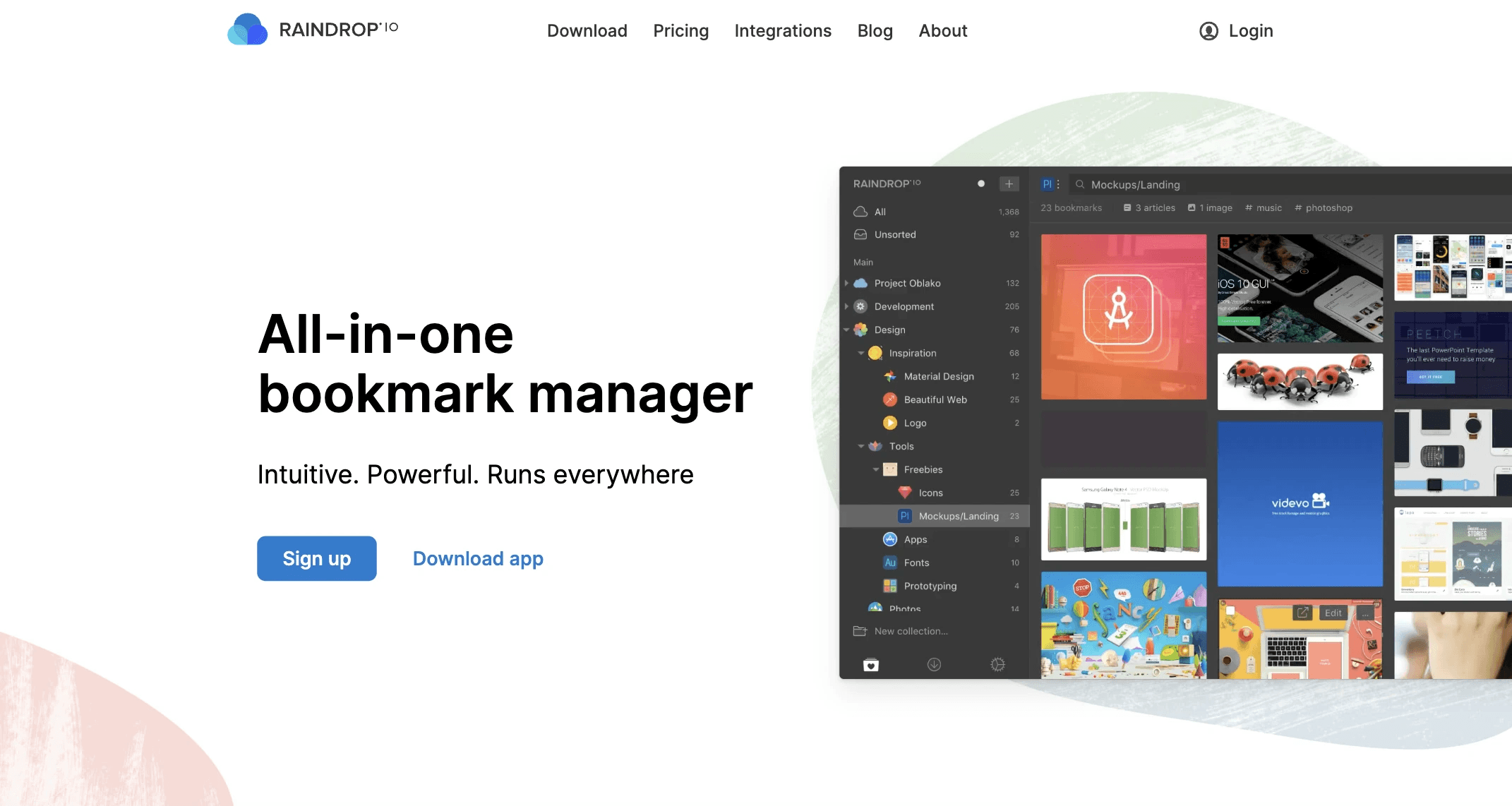
Raindrop is a modern bookmark manager built for both creativity and heavy research. It helps you save anything from the web, articles, videos, PDFs, images, and full pages, and keeps everything organized in clean collections.
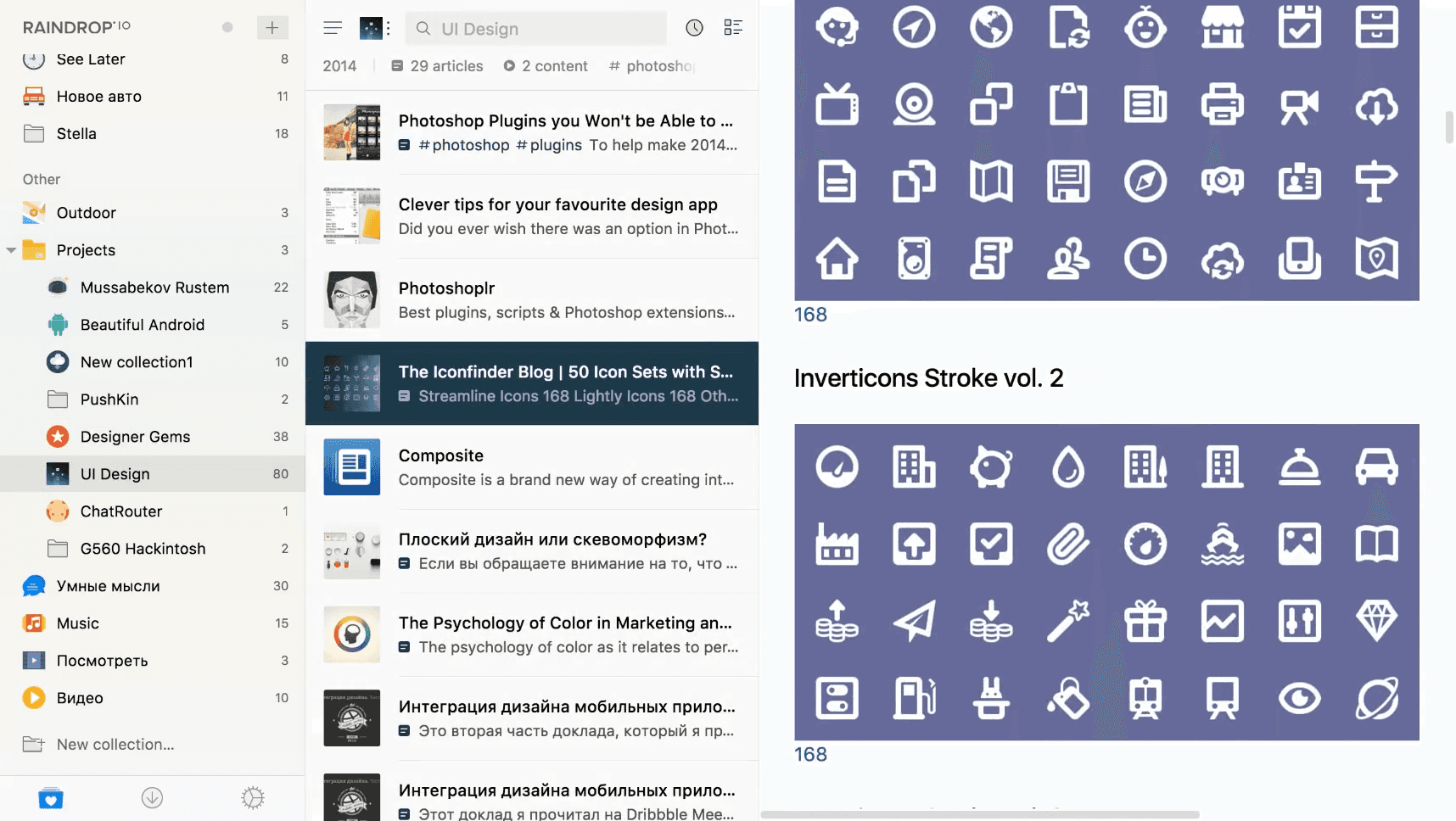
The interface is simple, but the tool is powerful. You can manage large libraries, sort items in many ways, and switch between different views like Grid, List, Masonry, or Headlines.
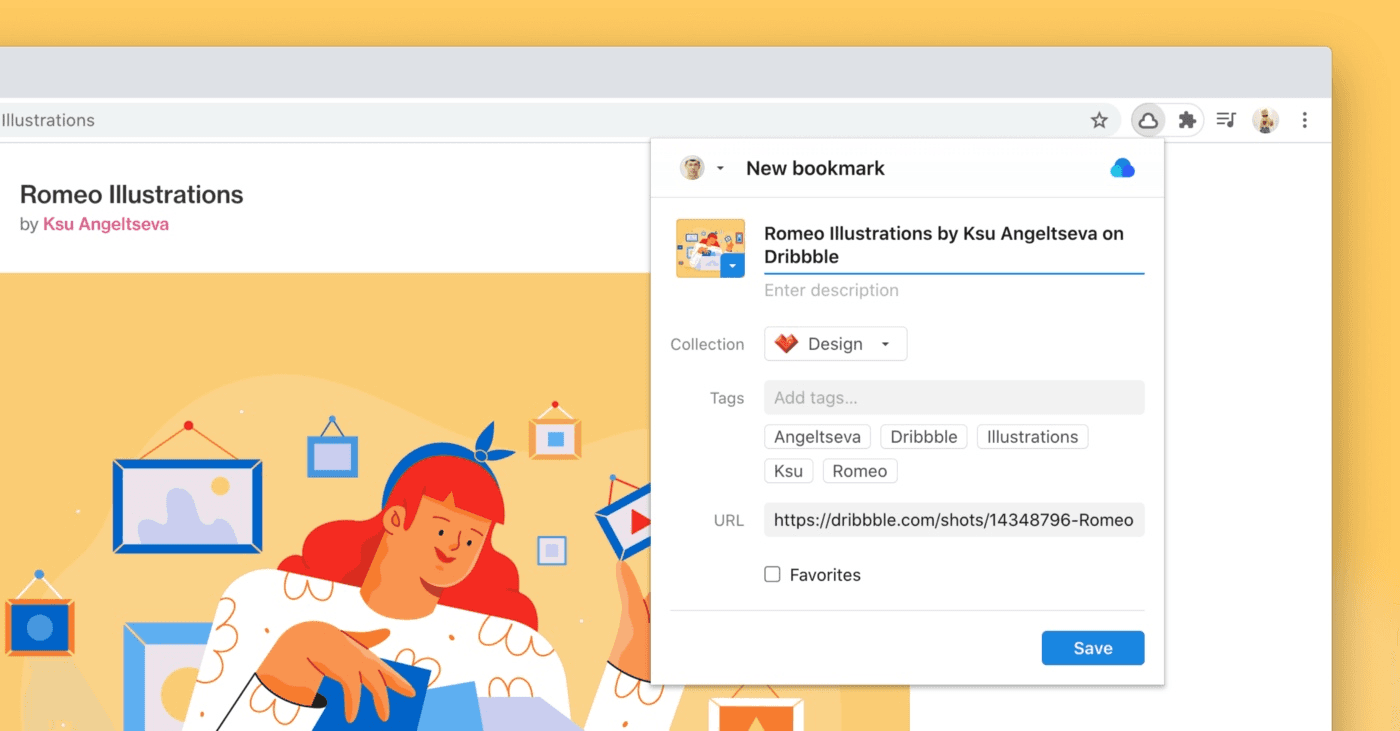
It offers flexible organization tools such as tags, filters, and collections. You can group related bookmarks, add descriptive tags, and use filters to find items fast.
Raindrop can detect duplicates and broken links, helping you keep your library clean. You also get instant previews so you can read articles, watch videos, or open pages without leaving the app.
Raindrop.io integrates with thousands of services. You can save your Twitter favorites, YouTube likes, and many other items automatically.
Collaboration features make it useful for teams. You can share collections, set permissions, and create public pages without requiring others to create an account.
Key Features
Save articles, videos, images, PDFs, and full web pages
Collections, tags, filters, and custom sorting
Multiple view modes: Grid, List, Masonry, Headlines
Highlights and annotations
Duplicate and broken-link detection
Full-text search across pages and PDFs
Automatic permanent copies of saved pages
Over 2,600 integrations and API access
Collaboration tools with permissions
Apps for all major platforms and browsers
Secure syncing with no ads or trackers
Pricing
Free: $0. Unlimited bookmarks, collections, highlights, and devices, 2,600+ integrations, apps for all platforms, collaboration support, and 100 MB monthly file uploads.
Pro: $28/year. Everything in Free plus AI suggestions, full-text search, permanent library, reminders, annotations, duplicate and broken-link finder, daily backups, 10 GB monthly file uploads, and priority email support.
Try Raindrop
5. Marqly

Marqly is a simple and flexible bookmark manager built for fast saving and clean organization.
It lets you store links, highlight text, tag items, and sort everything into custom boards. The interface is straightforward, so you can manage bookmarks without clutter or confusion. You can view items in different layouts, customize icons, and arrange boards to match the way you work.
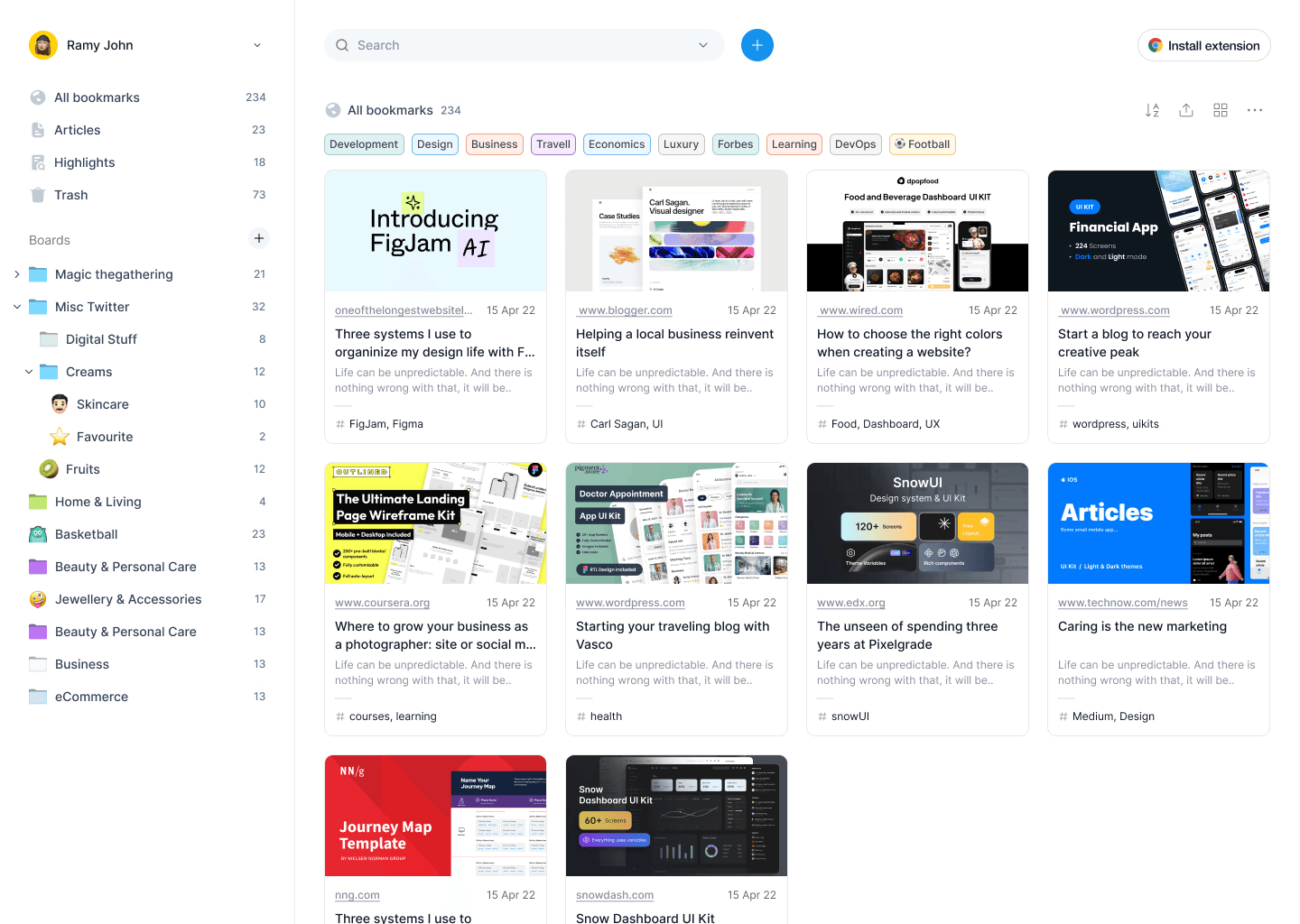
It focuses on personalization. You can build your own boards, choose how bookmarks appear, and switch between layouts with ease.
Marqly also supports text highlights, allowing you to capture key lines from articles and revisit them later. All highlighted text is stored in a dedicated board for quick access.
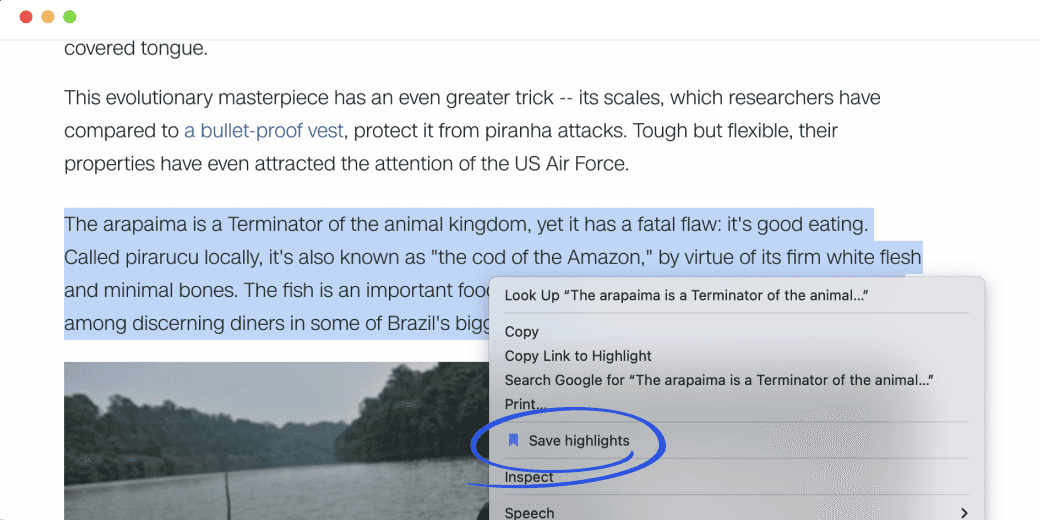
Marqly is available across major browsers and on mobile. You can save pages from Chrome, Firefox, Safari, and Edge. New features like nested collections, enhanced previews, better search, and advanced filters make managing large bookmark libraries even easier.
It also offers powerful search tools. You can search by date, type, URL, or website content.
Key Features
Save, organize, and tag bookmarks
Custom boards and customizable views
Text highlighting with a dedicated highlights board
Nested collections for deeper structure
Advanced search and filtering
Enhanced web previews with full-screen mode
Drag-and-drop boards for easy reordering
Access across browsers and mobile devices
Smooth responsive layout and modern UI
Sync across unlimited devices
Pricing
Free: $0. Up to 50 bookmarks, basic search, bookmark preview, tags, mobile access, and unlimited devices.
Pro: $69/year. Unlimited bookmarks, fast search, advanced previews, tags, boards, highlights and notes, read mode, smart sorting, unlimited devices, full access anywhere, and priority email support.
Try Marqly
6. tabExtend
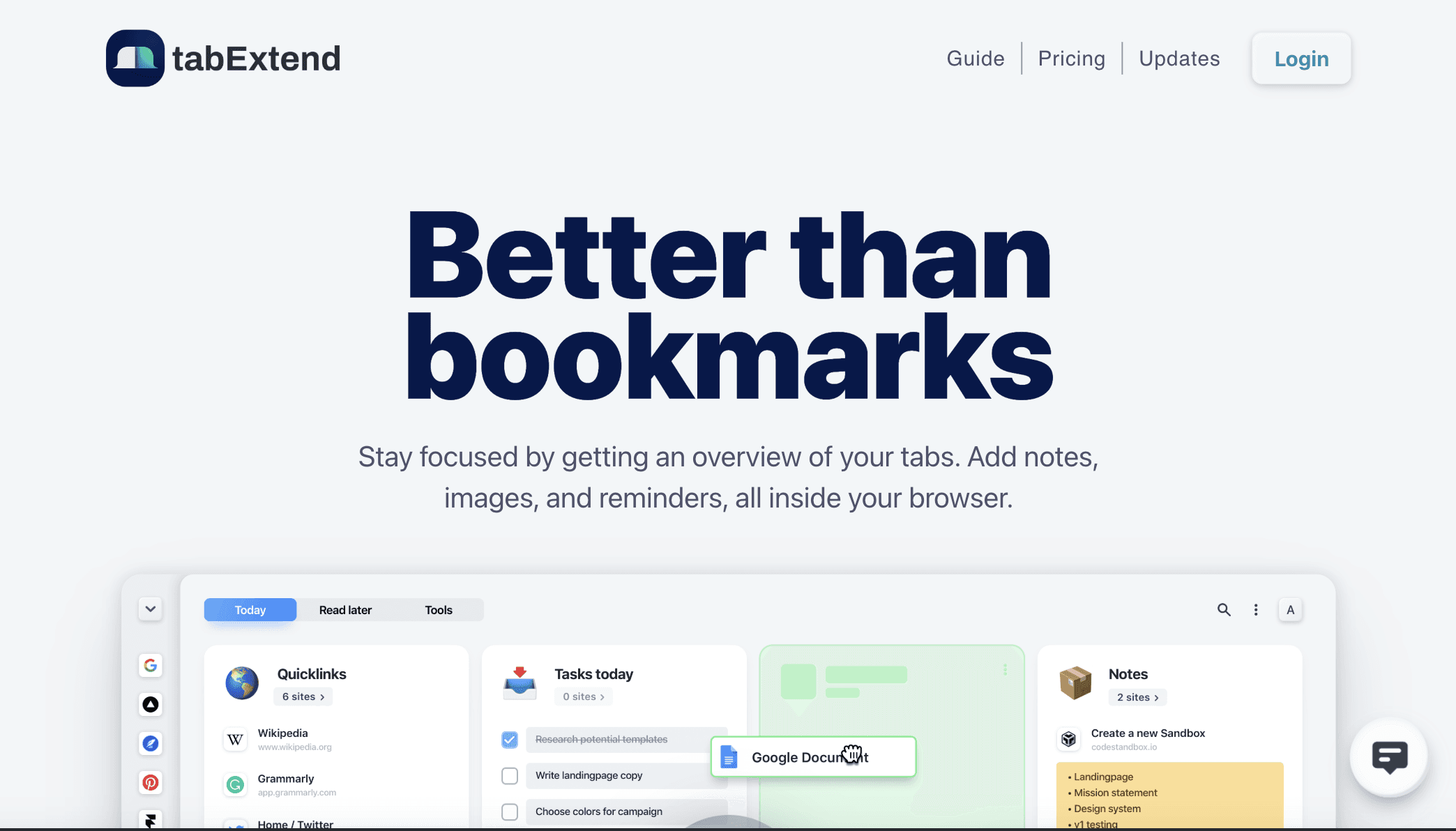
tabExtend is a tab manager built to help you stay focused and work with intent. Instead of letting tabs pile up, it gives you a clear overview of everything you have open.
You can save tabs, group them, add notes, images, and reminders, all inside your browser. It feels more like a workspace than a bookmark list.
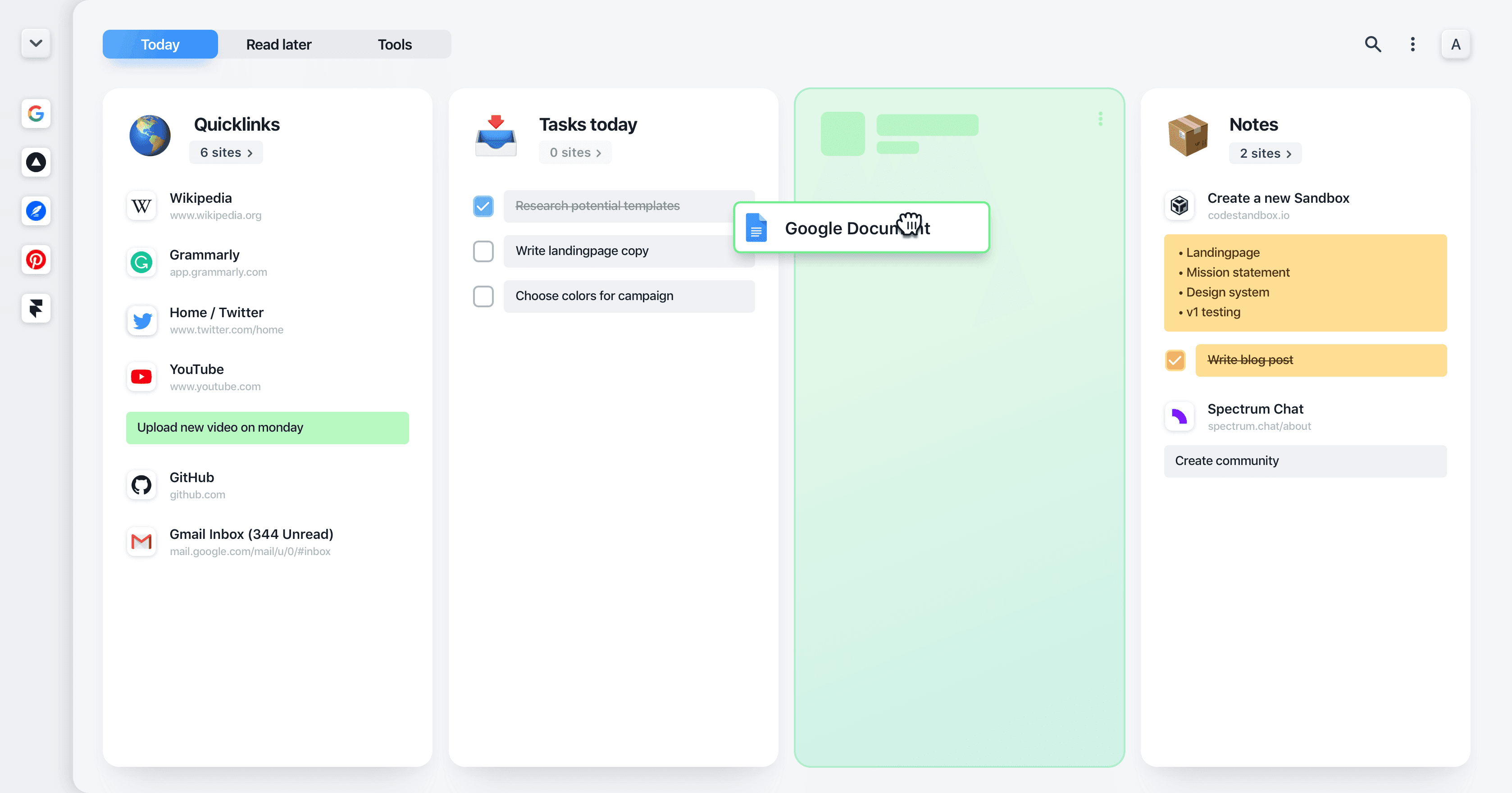
You can switch between browser sessions without losing context. This helps reduce tab hopping and keeps your attention on the task at hand.
tabExtend also works as a lightweight planning tool. You can write notes, create to-do lists, and attach them to saved tabs.
Your data is synced across devices and backed up regularly. You can also share workspaces with others for collaboration. Mobile apps let you access and save tabs and notes when you are away from your desktop.
Key Features
Save, close, and reopen tabs in groups
Drag-and-drop tab management
Notes and to-do lists inside the browser
Reminders for tabs, notes, and tasks
Multiple workspaces and categories
Fast search across tabs and notes
Auto sync across devices with cloud backups
End-to-end encrypted data storage
Share workspaces privately or publicly
iOS and Android mobile apps
Light and dark themes
Pricing
Free: $0. All basic features, up to 30 saved items, unlimited time, and no account required.
Pro: $8/month. Unlimited saved items, multiple workspaces, daily backups, and reminders.
Team: $21/month. Includes 3 seats, all Pro features, team management tools, and priority support.
Get tabExtend
7. Toby
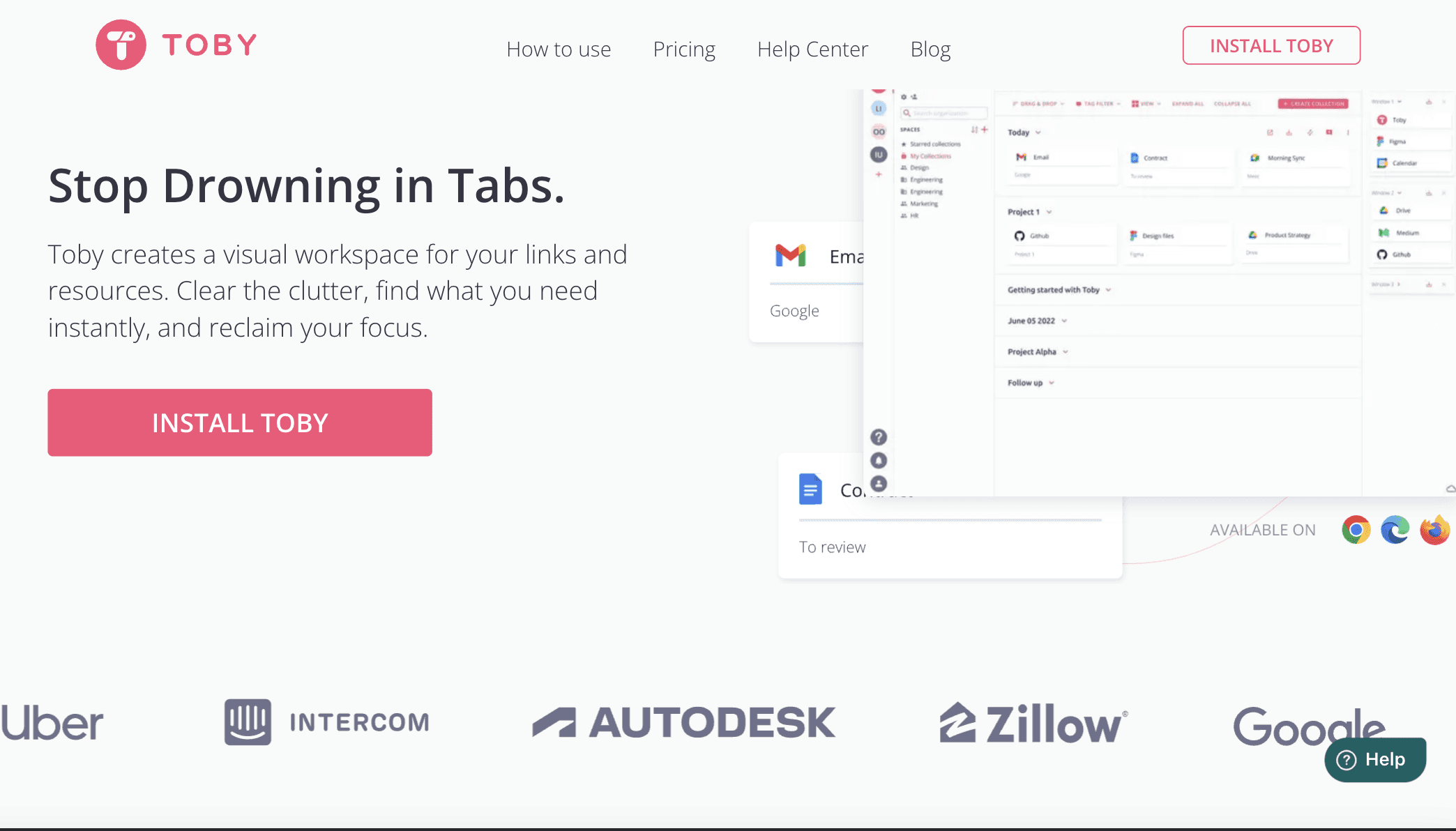
Toby is a visual tab and resource manager built to replace tab chaos with clear workspaces.
The extension helps you collect resources fast. You can save tabs, documents, designs, and project links in one click. Once saved, items live inside workspaces called Spaces.

Each Space can represent a project, client, or topic. This makes it easy to switch context without losing track of important pages.
Toby also works well for teams. You can share Spaces, collaborate with others, and make sure everyone is using the same links and documents.
Toby runs on Chrome, Edge, and Firefox, with web and mobile apps for access outside the browser.
Key Features
Visual workspaces for tabs and resources
One-click saving of tabs and documents
Spaces for organizing projects and topics
Collections, tags, and notes
Basic and advanced search
Duplicate tab detection and removal
Share Spaces for team collaboration
Works across browsers and devices
Clean interface built for focus
Pricing
Starter: $0. Up to 60 saved tabs, all basic features, unlimited members.
Productivity: $4.50/month per member (billed yearly at $54). Unlimited saved tabs, advanced search, and duplicate removal.
Team: $8/month per member (billed yearly at $96). Everything in Productivity plus SSO, centralized billing, and priority support.
Try Toby
Wrapping Up: Best Chrome Tab Management Extensions
Too many open tabs slow you down and break your focus. A good Chrome tab manager helps you group tabs, save sessions, and find important pages fast.
If you want a reliable tab manager that works both for free and as a lifetime tool, Tabsurfer is the one to choose.
It handles tab organization, session saving, folders, tags, quick search, schedules, and more without slowing your browser. For anyone looking for a solid Chrome tab manager or a Chrome tab group extension to reclaim focus and reduce clutter, Tabsurfer is highly recommended.
Hope this guide helped you choose a tab manager. Check out more Toolfolio guides:
You May Also Like












Featured Tools








Newest Additions





















AI Image & Video Generation

































Vibe Coding Library



























































Screenshot & Screen Recording Tools
















