

Why Creators Are Switching to Node-Based AI Tools in 2026
This article explains why node-based creative editors will grow rapidly in 2026 as AI-driven image and video tools expand.

Dudu
Dec 9, 2025
Last Updated Dec 9, 2025
Image Credit: Toolfolio
I’ve spent the past few years watching AI tools move from small experiments to full creative platforms, and it feels like we’re entering a brand new era.
First it was prompt-based everything. Type a sentence, hope for the best, pray the model understood you. But now a different style of creating is showing up everywhere and it's called Node-Based Editing.
Tools like Krea, Freepik Spaces, FloraFauna, Pixelzzz AI and even the big guys like Adobe are all going hard on this approach. It's not just a trend, it's becoming the way people who care about control and consistency are building with AI.
I'm not exaggerating when I say this is going to be everywhere in 2026. The shift is already happening, and once you try it, you get it immediately.
In this post we'll dive deep into why node-based editors are about to be huge in 2026 and how this new way of building visuals might become the default for AI creativity.
What are Node-Based Editors
In the AI age, node-based editors are returning to create images and videos on a visual canvas.
Instead of typing one long prompt and hoping the model understands you, you link small blocks together.
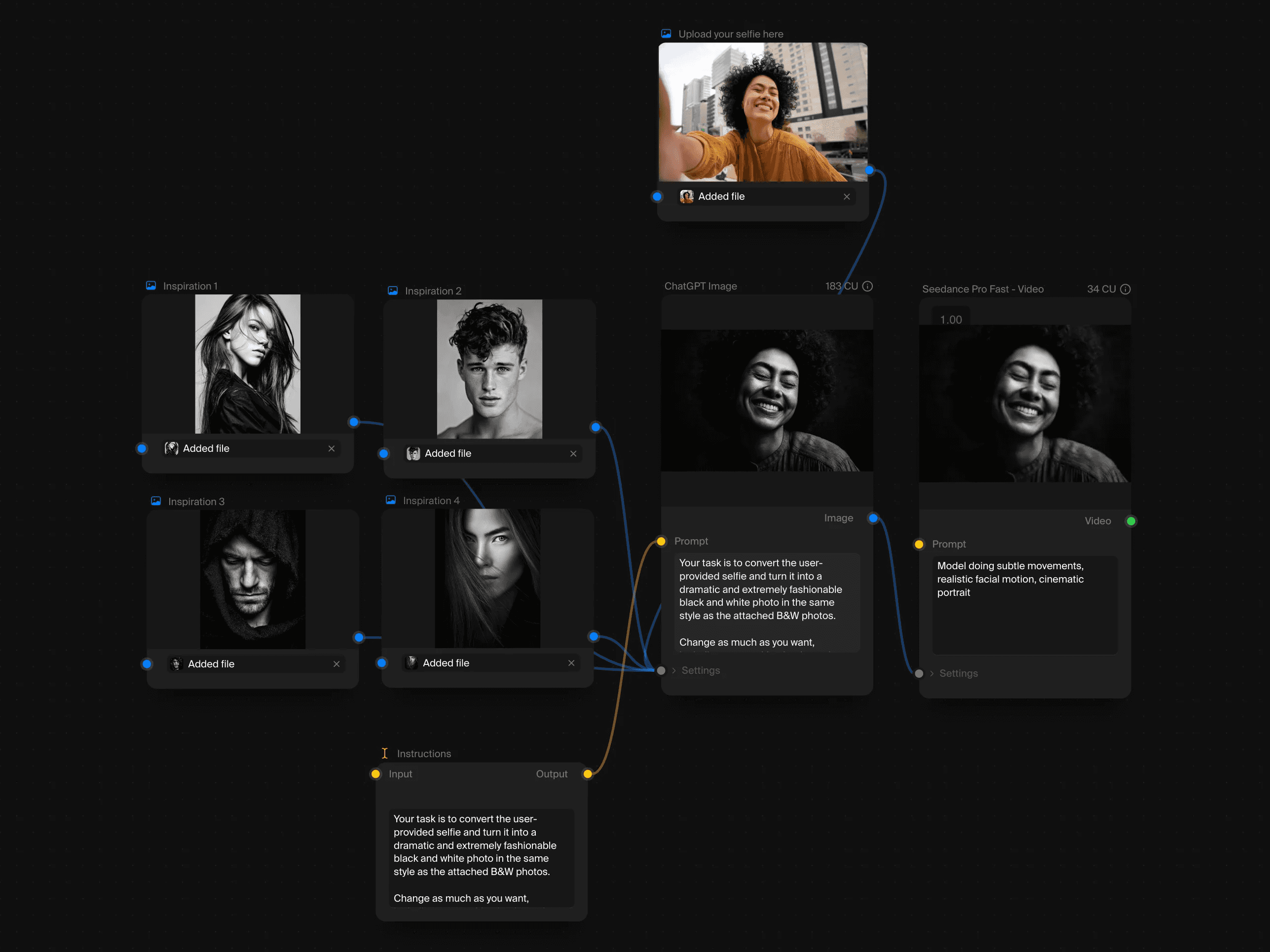
Each block, or “node,” does one job, maybe it generates an image, fixes lighting, swaps an object, upscales a frame, or turns an image into video. The output of one node becomes the input of the next.
When you connect these nodes, you create a full workflow that shows exactly how your final output is made.
Tools like Krea Nodes give you access to 50+ models (image, video, audio, 3D) all on one infinite canvas. Freepik Spaces lets teams collaborate on these workflows in real time. Even platforms like Fal Workflows and Invoke are doubling down on visual pipelines because it just makes sense for how people actually want to work.
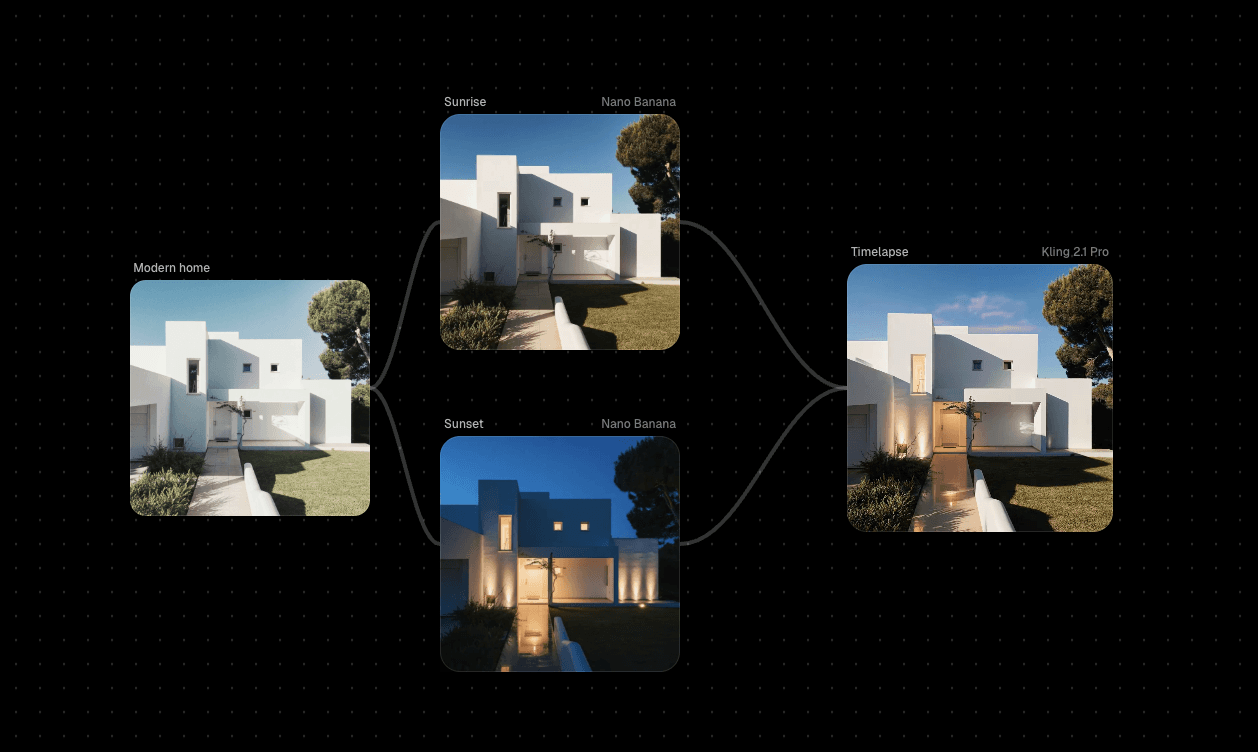
The big difference? Reproducibility. When you build a workflow with nodes, you can save it, share it, tweak it, and run it again with the same results. You can go back, swap a model, adjust a parameter, and see what happens, without starting over from scratch.
If you've ever used Blender, Unreal Engine, or even audio tools like Ableton, this will feel familiar.
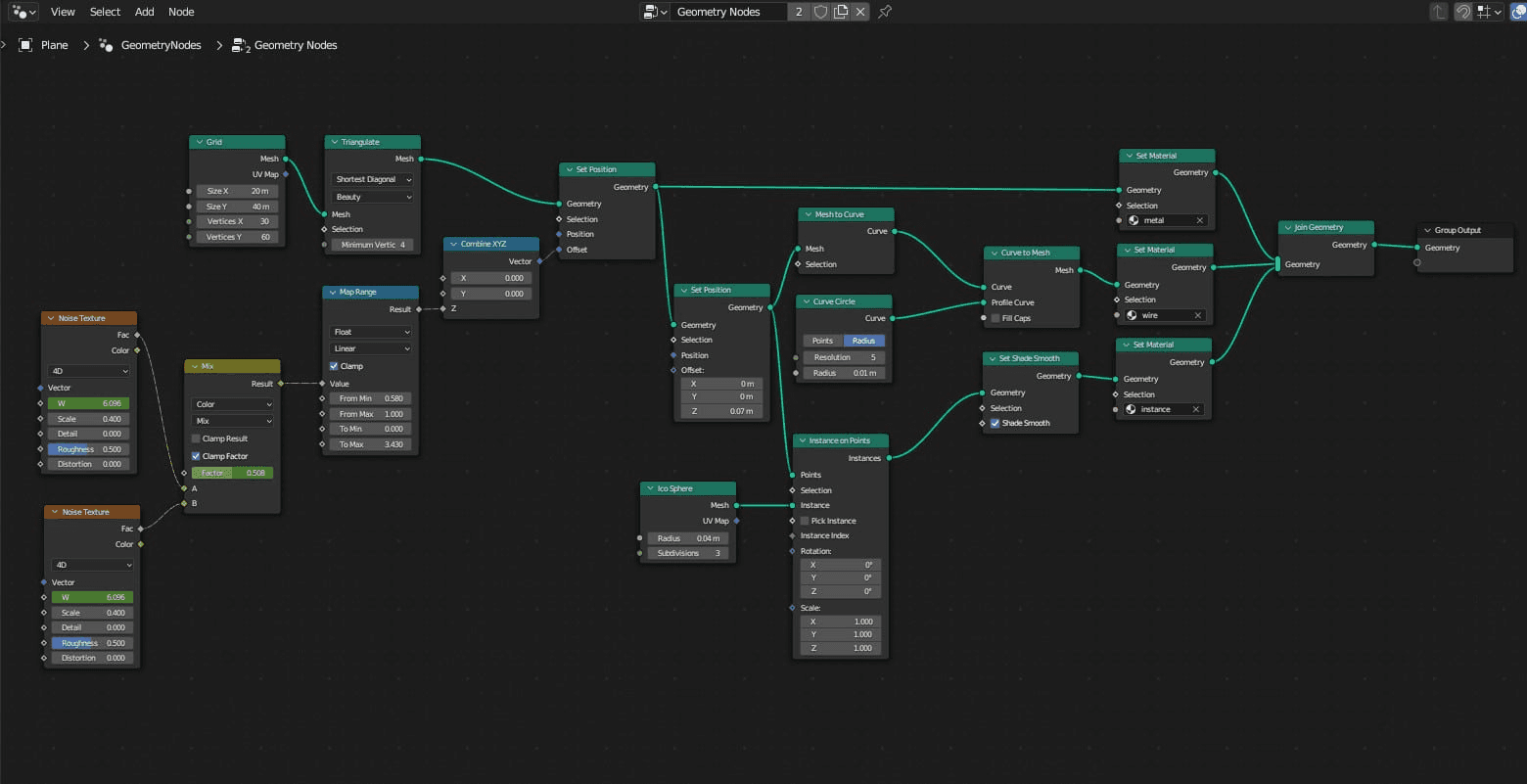
It's the same idea.
4 Main Reasons Why Creators Are Switching to Node-Based AI Tools
1. You Can Actually Repeat What Works
Prompts are a gamble, to be honest. Type the same thing twice, and get two different results. That's fine for messing around, but it's a nightmare when you're trying to maintain character consistency across a video series or match a specific style for a client project.
Nodes fix this. You build the workflow once, save it, and run it again with identical results. Need to generate 50 product shots with the same lighting and angle? Done.
Want to apply the exact same style to a new character? Just plug in the new image. It's deterministic, what you see is what you get, every time.
Krea lets you save entire workflows as templates. Freepik Spaces lets teams duplicate and automate them. This isn't just convenient, it's what makes AI usable for actual production work instead of happy accidents.
2. You're Not Locked Into One Model's Limitations
Single-prompt tools force you into whatever that app's model can do. If it's bad at hands or can't do cinematic lighting, you're stuck. Node editors let you mix and match models for each step.
Generate the base image with Flux Pro because it's fast. Run it through a ControlNet for pose accuracy. Use a different model for upscaling. Swap in Runway for the video generation. Each node uses whatever model is best for that specific task.
Flora combines GPT-4, Flux Pro, and Runway on one canvas. Krea Nodes has 50+ models. You're not fighting against a tool's weaknesses. You're building around them.
3. Multi-Step Workflows Stop Being a Pain
Real creative work isn't "generate image, done." It's generate image, remove background, adjust lighting, add text, upscale, convert to video, add motion. That's six different tools if you're doing it the old way.
Nodes let you chain all of that together. The output of one step automatically feeds into the next. No exporting, re-uploading, or managing files across apps. It's one continuous pipeline.
Weavy built this specifically for designers who need to composite, relight, and refine AI outputs without leaving the canvas. Invoke lets you build Stable Diffusion workflows that go from text prompt to polished final image in one graph.
4. You Can See What's Actually Happening
Prompt-based tools are black boxes. You type something, the AI does... stuff... and you get a result.
When it's wrong, you don't know why. When it's right, you don't know how to recreate it.
Node editors show you the logic. This node generates the image. This one changes the color grading. This one swaps the background. You can see where things break, tweak individual steps, and understand what each part of the pipeline does.
This matters when you're troubleshooting. If the lighting looks off, you know exactly which node to adjust. If the upscale is too soft, you swap that specific model. You're not blindly re-prompting and hoping, you're making informed changes to a visible system.
ComfyUI (which powers tools like Playbook3d) exposes every parameter for this exact reason. Fal Workflows color-codes connections so you can trace data flow. It's transparency over magic, which is what you need when you're trying to actually build something reliable.
How to Start Exploring Node-Based Editing Today
Here's the thing: you don't need to learn all these tools at once.
Pick one based on what you're actually trying to do, mess around for an hour, and you'll get it. Here's where to start:
If You Want the Easiest Entry Point: Krea AI
Start here if you've never touched a node editor before. Krea gives you 50+ models (images, video, audio, 3D) without making you feel like you need a computer science degree.
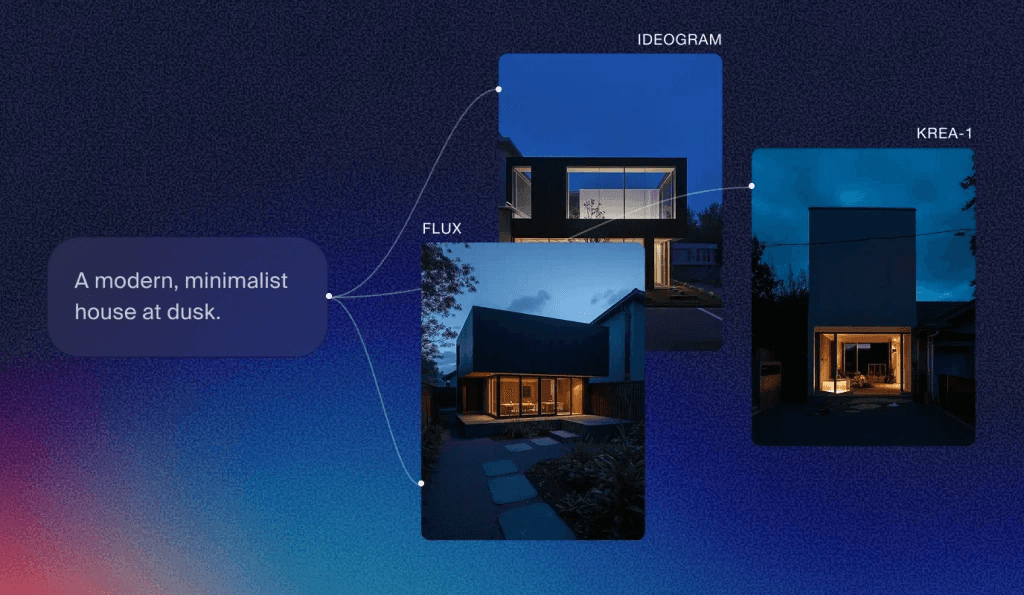
What to try first: Grab one of their community templates.
There are pre-built workflows for things like "generate image → upscale → stylize" or "text to video with consistent characters." Run it once to see how it works, then start swapping nodes. Change the image model. Adjust the lighting node. Add a color grading step. You're learning by doing, not by reading documentation.
The infinite canvas means you can just keep adding nodes and experimenting without things getting cramped. And because it's all visual, you can literally see what's happening at each step.
Best for: Anyone who wants to experiment without getting overwhelmed. Good balance of power and usability.
If You Need Team Collaboration: Freepik Spaces
Freepik Spaces is built for teams working together in real time. Multiple people can be on the same canvas, building workflows, duplicating them, automating tasks.
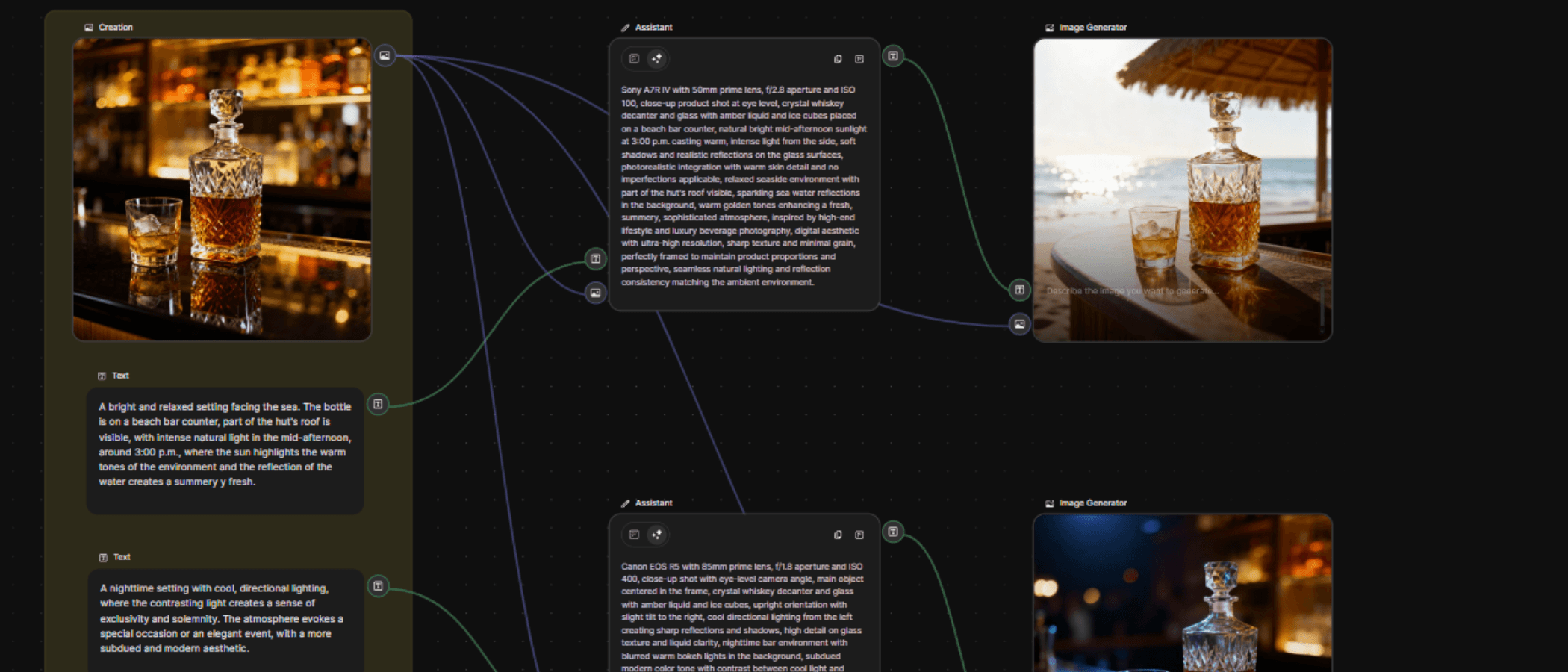
What to try first: Start with a workflow that automates something repetitive—like generating product mockups with consistent branding, or creating social media assets in different sizes. Build it once, duplicate it, and let your team run variations without rebuilding from scratch.
The tradeoff is that it's deeply integrated with Freepik's stock asset library, so if you're looking for raw model control, it might feel a bit limited. But for production work where you need consistency and collaboration, it's solid.
Best for: Teams that need to scale creative output without everyone reinventing the wheel.
If You Want Deep Technical Control: ComfyUI
ComfyUI is the hardcore option. It's what serious Stable Diffusion users run for complete control over every parameter. You can access it directly, but Invoke and Playbook3d wrap it in slightly friendlier interfaces.
Invoke focuses on Stable Diffusion workflows with color-coded connections. It has a Form Builder that turns your complex node graph into a simple interface for others to use. Good if you're building workflows for a studio or team.
Playbook3d is ComfyUI for 3D artists. It integrates LoRA training and 3D render passes directly into diffusion workflows, so you can inject your 3D renders into the AI pipeline.
What to try first: Download a pre-made workflow (ComfyUI has a huge library of community workflows). Run it. Break it. Figure out what each node does by changing one thing at a time. This is not a "jump in and go" tool—it's a "spend a weekend learning" tool.
Best for: Technical users who want full control and don't mind a steep learning curve.
If You Want Everything in One Place: Pixelzzz
Pixelz is basically "what if we threw 60+ AI models onto a Miro-style canvas and let you go wild." Images, videos, 3D, music, it's all there. The whole point is to stop switching between apps.
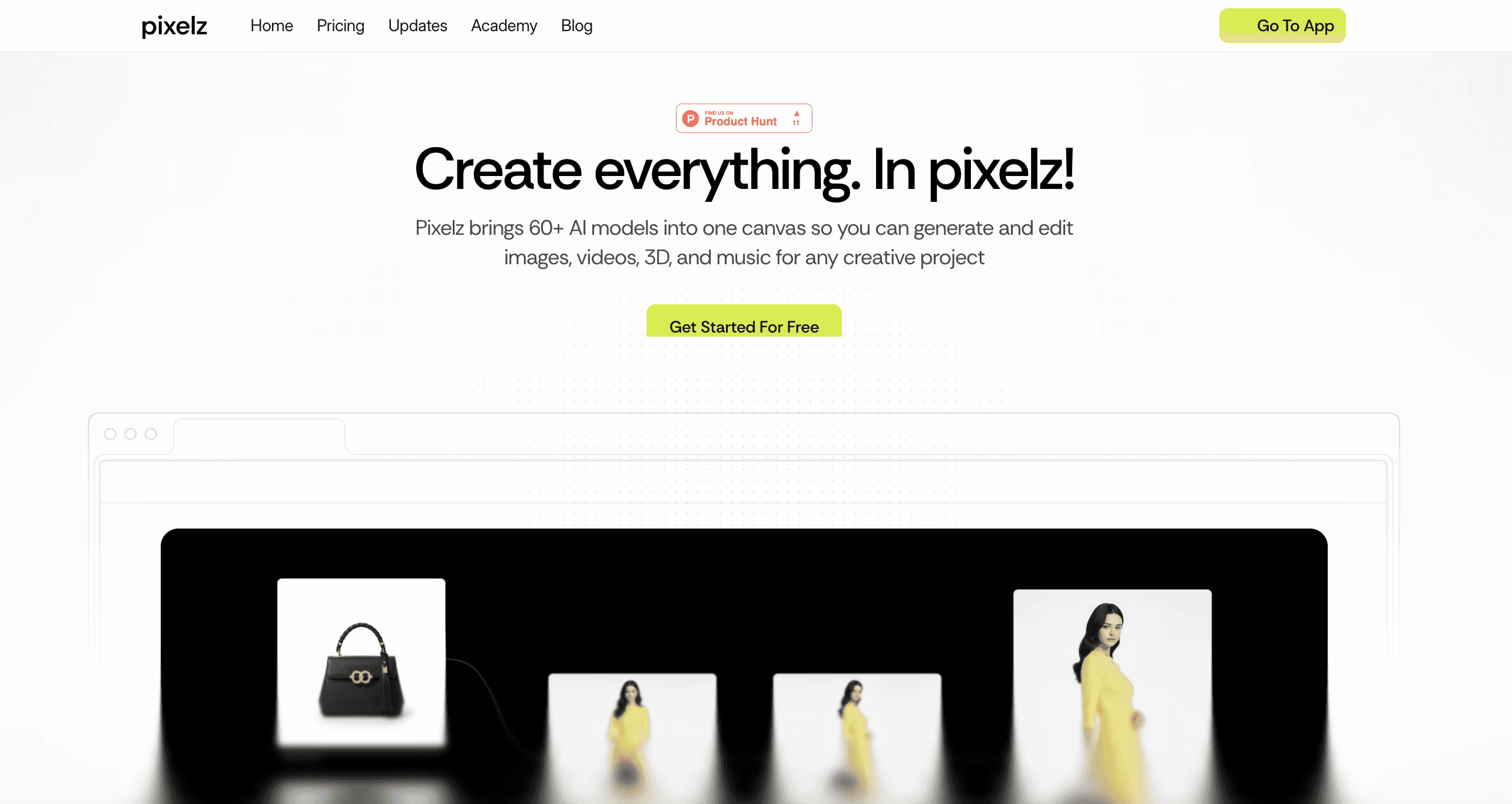
What to try first: Jump into their template library. They have pre-built workflows for things like "multi-angle product photoshoot" or "3D ad exploration." Pick one that's close to what you want to make, run it, then start tweaking. Swap models, change prompts, add your own images as references.
The interface is designed for collaboration, so if you're working with a team, everyone can be on the same canvas at once. It's less about deep technical control and more about speed and variety—getting access to every major AI model without managing subscriptions.
Best for: Teams that need to produce a ton of assets fast. Good for agencies, marketers, anyone juggling multiple formats and platforms.
If You Want AI That Actually Feels Intelligent: Flora
Flora isn't just a node editor, it's what they call an "intelligent canvas." You get GPT-5, Gemini, FLUX, Runway, Veo, Kling, and a bunch of other top-tier models all connected on one workspace.
What to try first: Build a workflow that mixes text generation (GPT or Gemini) with image creation (FLUX or Imagen) and video (Runway or Veo). The whole vibe is non-linear exploration, you're not locked into one path. Branch workflows, test variations, keep version history.
They also have real-time collaboration built in, so if you're working with a creative team, everyone can see changes live.
Best for: Creative professionals who need access to cutting-edge models and want a canvas that feels designed for actual creative thinking, not just assembly-line production.
If You Want Templates and Speed: ImagineArt Workflow
ImagineArt has a workflow builder that's less about hardcore control and more about getting things done fast. Text-to-image, image-to-video, AI anime, background removal, music creation—all in one platform.
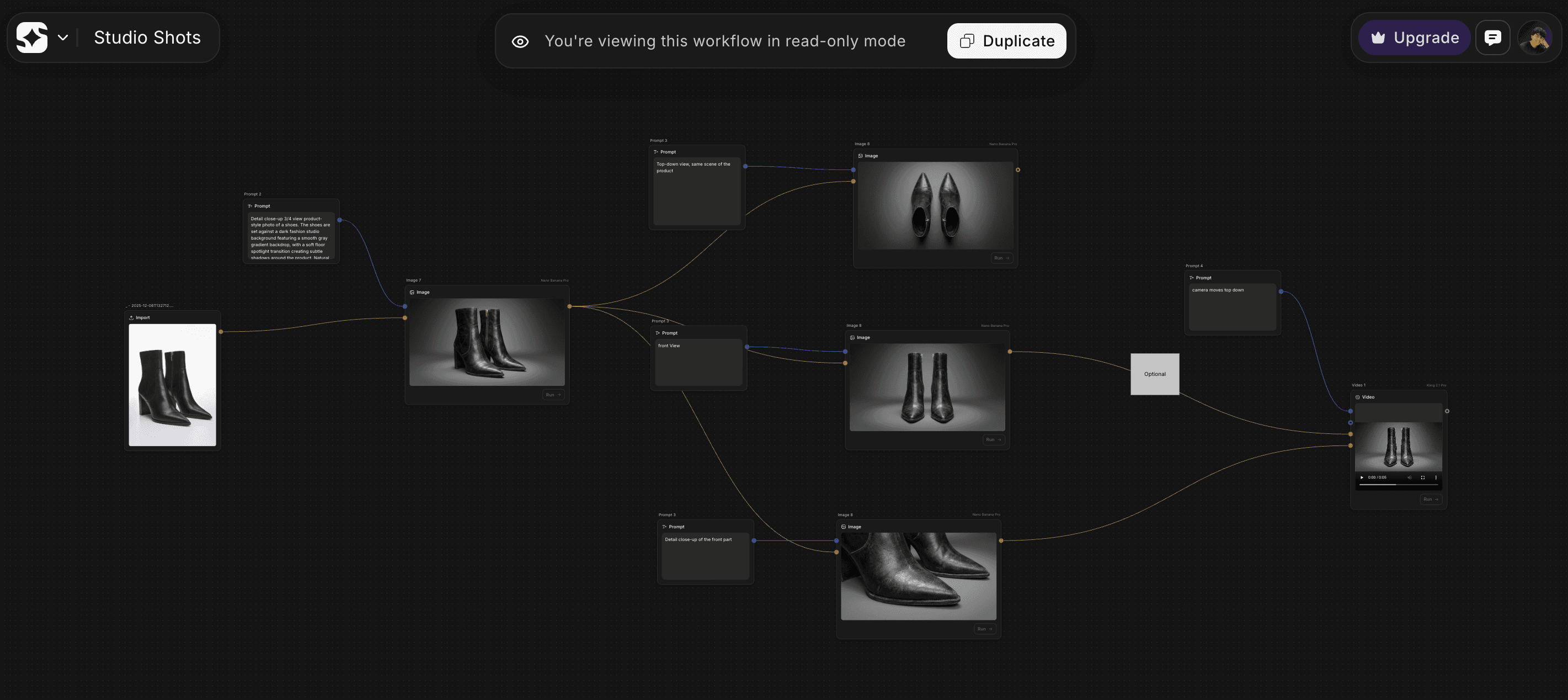
What to try first: Use their featured workflow templates. They have ready-made workflows for design, filmmaking, fashion. Pick one, customize it, and you're off. It's designed for people who don't want to think about the technical side—they just want outputs.
It's accessible via web and mobile, so if you're someone who needs to create on the go or wants a simpler entry point than full-blown node editors, this works.
Best for: Solo creators, social media managers, anyone who needs variety without complexity.
Node-Based AI Tools Comparison (Image & Video)
Tool | Models Available | Collaboration | Starting Price | Best For |
|---|---|---|---|---|
Krea Nodes | 50+ (Image, Video, 3D, Audio) | Teams supported | Free (paid from ~$9/mo) | Solo creators, power users |
Flora | 40+ (Image, Video, Text) | Real-time collaboration | Free (Pro from ~$16/seat/mo) | Creative teams, agencies |
Freepik Spaces | Multiple (Image, Video, Audio) | Strong team collaboration | ~$9/mo | Marketing teams, brands |
Pixelz | 60+ (Image, Video, 3D, Audio) | Live collaboration | ~$17/mo | Agencies, production teams |
Our Honest Take
If you're new, start with Krea or Pixelz. Krea is the best balance of power and usability. Pixelz is better if you want access to everything without thinking too hard about it.
If you're working with a creative team and need something that feels premium, try Flora. It's what actual studios are using for production work.
If you're technical and want full control, go straight to ComfyUI (via Invoke or Playbook3d). Just know you're signing up for a learning curve.
And honestly? Just pick one and start building something. Node editors make way more sense once you're actually using them than they do when you're reading about them. The whole point is to stop guessing and start building, so go build something.
You May Also Like













Featured Tools







Newest Additions





















AI Image & Video Generation

































Vibe Coding Library



























































Screenshot & Screen Recording Tools
















