Is Chrome’s New Split View Actually Good?
I tested Chrome’s new Split View feature to see if it actually improves multitasking and daily browsing.

Dudu
Dec 19, 2025
Last Updated Dec 19, 2025
Image Credit: Toolfolio
Chrome hasn’t meaningfully changed how tabs work in years. Most updates feel small, safe, and easy to ignore. That’s why I didn’t expect much from Chrome’s new Split View feature when it first appeared as an experimental flag.
After actually using it, though, my opinion changed fast.
Like most people who live inside a browser all day, I keep too many tabs open and rely on window juggling to get real work done. Research on one side, writing on the other, references always floating somewhere else.
Chrome Split View finally brings those workflows into a single tab, and it does it in a way that feels practical, not forced.
This isn’t one of those features that sounds good in a blog post and then gets forgotten. After a few days of real use, Split View started replacing how I normally manage windows and tabs. It’s simple, it’s fast, and it solves a problem Chrome users have worked around for years.
So the real question isn’t what Chrome Split View does. It’s whether it’s actually good and whether it’s worth changing how you use your browser.
What Are Split Tabs (or Split View Tabs)?
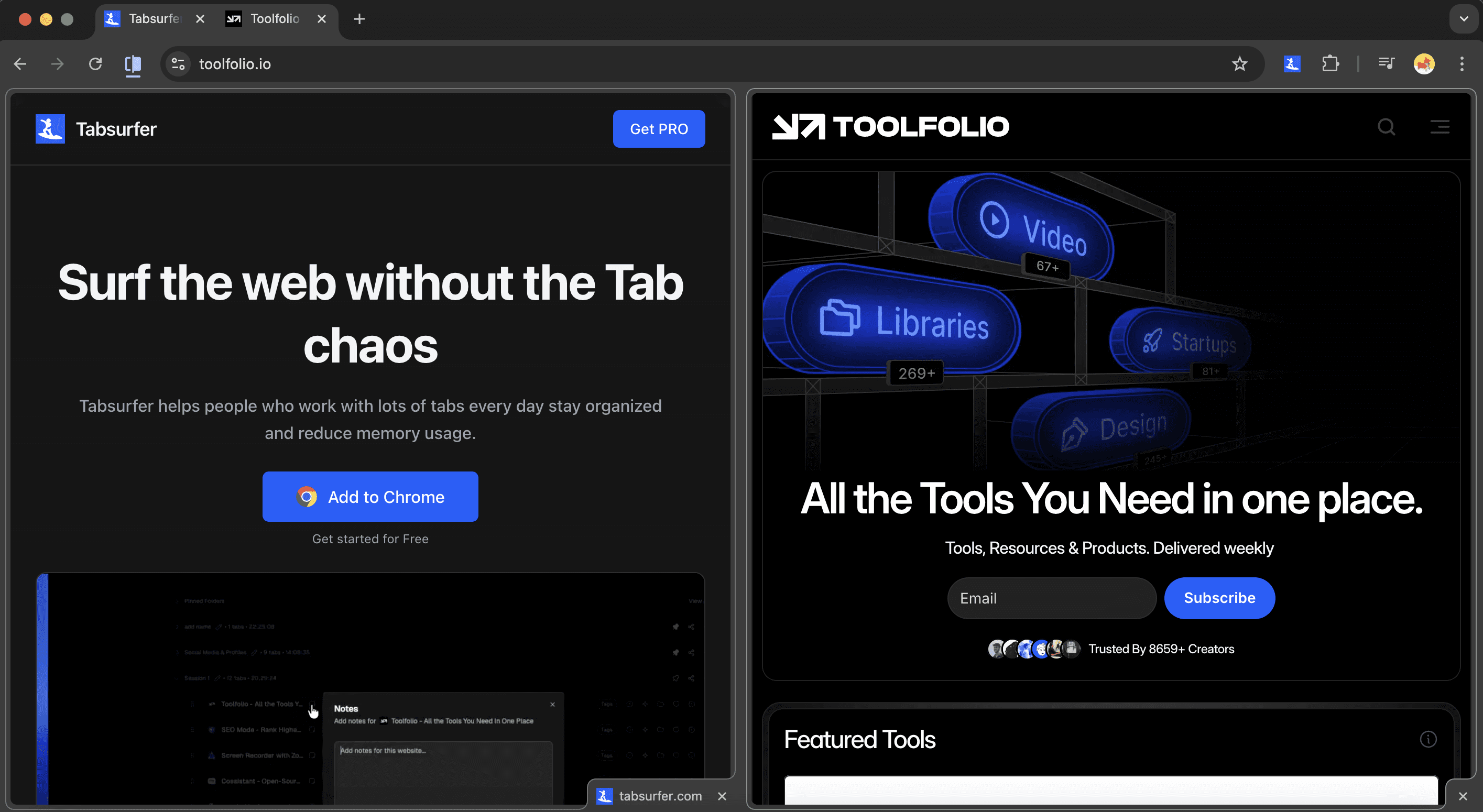
Split Tabs, also called Split View Tabs, let you open two websites side by side inside a single Chrome tab. Instead of juggling multiple windows or snapping apps across your screen, Chrome keeps both pages contained in one tab, separated by a movable divider.
It changes how you use the browser. You can read an article while referencing a source, write while checking notes, or compare two pages without constantly switching tabs or windows. Everything stays visible, focused, and easy to manage.
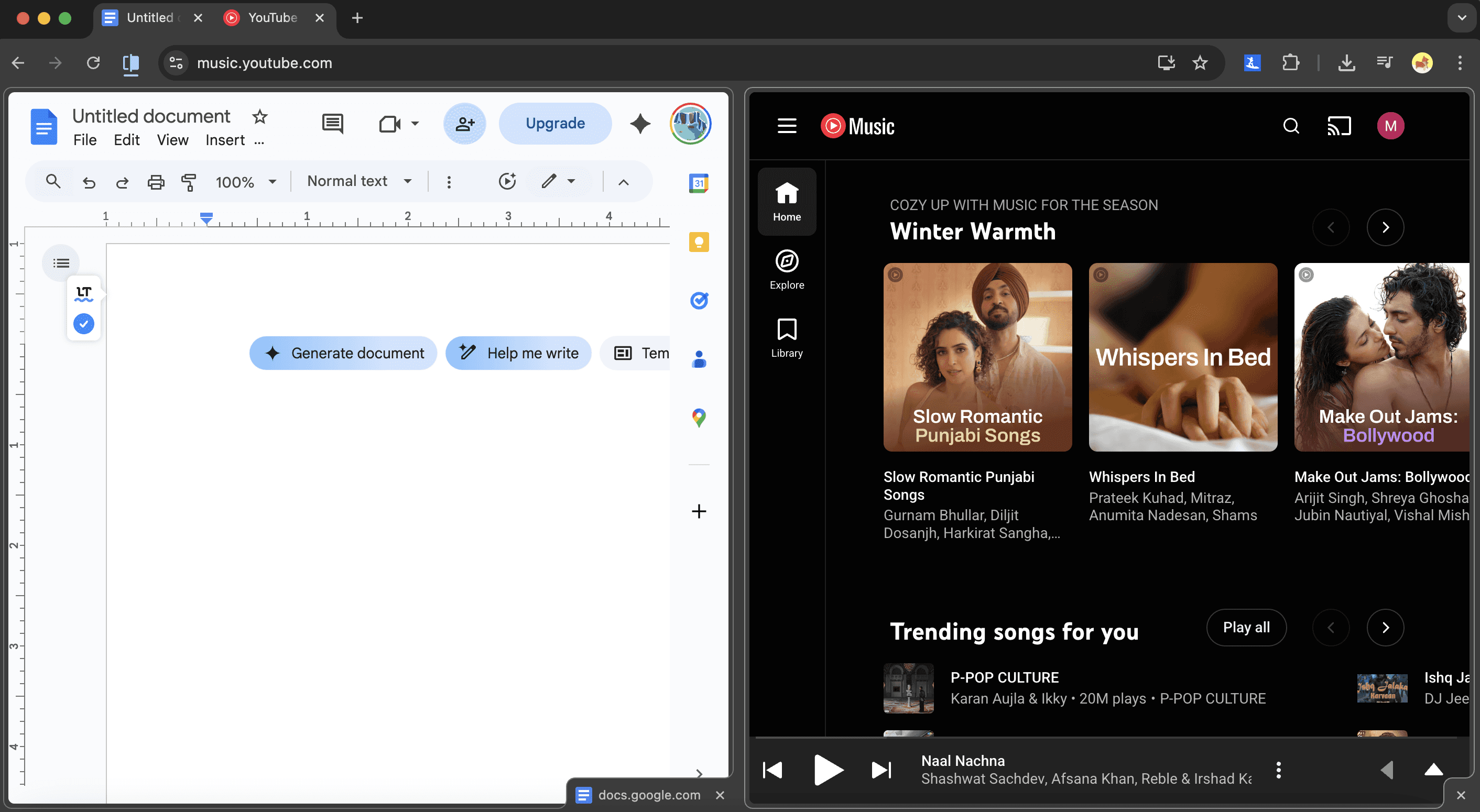
What surprised me most is how natural Split View feels once you start using it. It doesn’t try to replace tabs or windows.
It just reduces the need for them. For anyone who spends hours researching, writing, or comparing information in Chrome, Split Tabs feel less like an experiment and more like a long-overdue fix.
Do I Like Chrome's New Split View?
Yeah, I actually do. And honestly? That caught me off guard.
Look, I've been around the block with Chrome's "innovative" tab features. Tab groups seemed cool for about five minutes before I forgot they existed. None of it really changed anything about how I actually use my browser day-to-day.
But Split View? This one's different.
The moment I enabled it and started messing around, something just clicked. Instead of that annoying dance of clicking between tabs or wrestling with window sizes, I could finally just... see both things at once. In one tab. No fuss.
I'm talking research on the left while I'm writing on the right. Two product pages side-by-side when I'm comparing prices. My notes open while I'm fact-checking something. You know, the stuff you actually do on the internet.
What really got me is how it doesn't try to be clever or force you into some rigid system. Need to swap which side something's on? Easy. Want one pane bigger than the other? Drag and done. Click a link and have it open in the other half? Yep. Done with it? Split it back into regular tabs.
It's flexible without being complicated, which is shockingly rare.
Here's the thing that might sound small but isn't: I stopped hoarding tabs. You know that thing where you open a tab "just in case" and then suddenly you've got 47 tabs open and can't find anything?
Split View kind of broke that habit for me. Now I actually deal with two things at a time instead of letting them pile up into digital clutter.
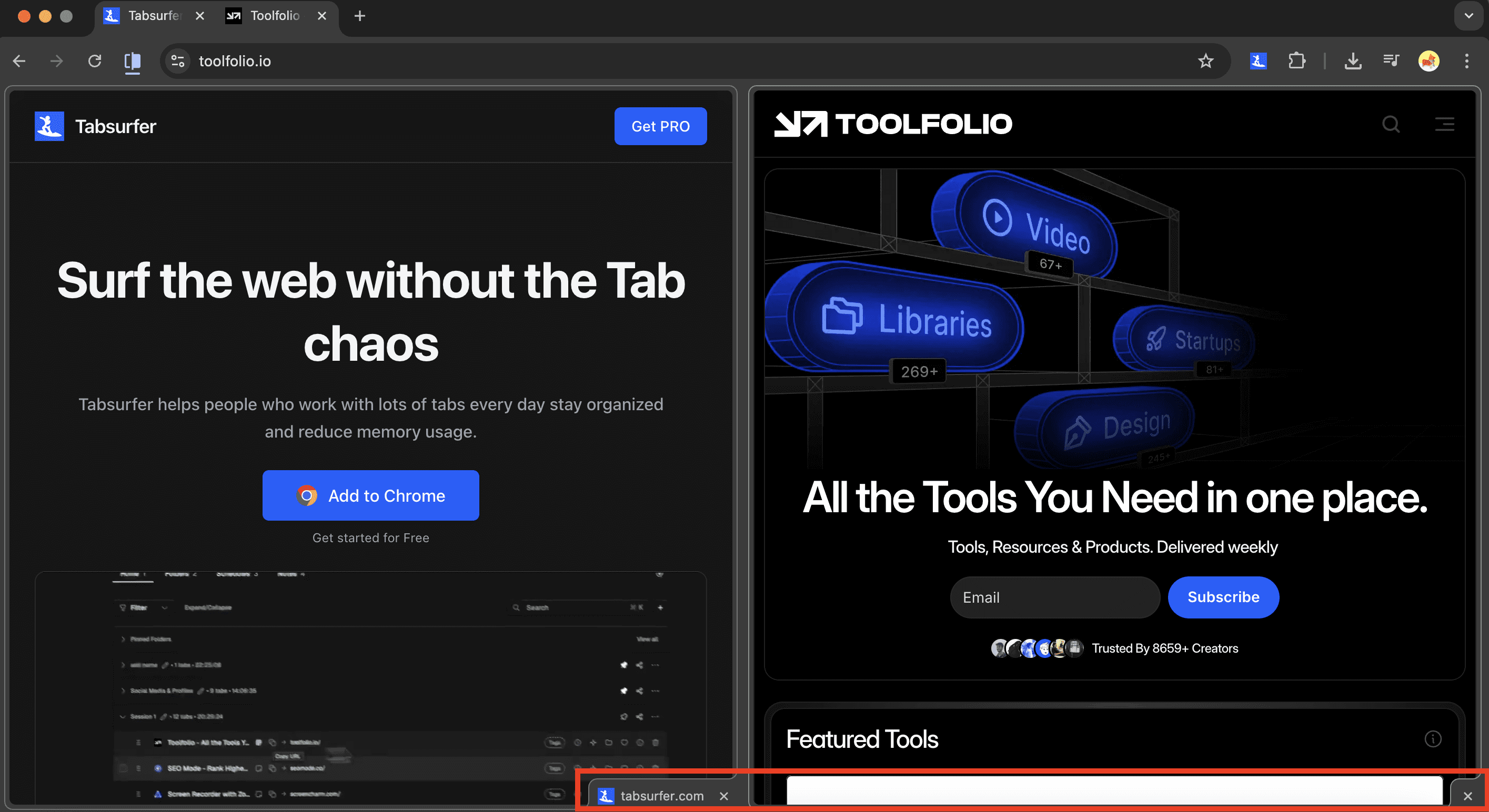
Is it flawless? Nah. It's still an experimental feature, and you can tell. Google could definitely tighten some things up. Like Chrome places the close-window button in the bottom-right corner. Why can't I change this?
But even as-is, it just works in a way most Chrome features don't. It saves me time, keeps me from drowning in tabs, and doesn't feel like I'm fighting the browser.
For the first time in ages, Chrome added something that I didn't turn off after a week. It actually earned its place in how I work every day.
That's pretty rare.
How to Use Split View in Chrome
If you want to open two tabs side by side in Chrome using Split View, the process is simple and only takes a few clicks.
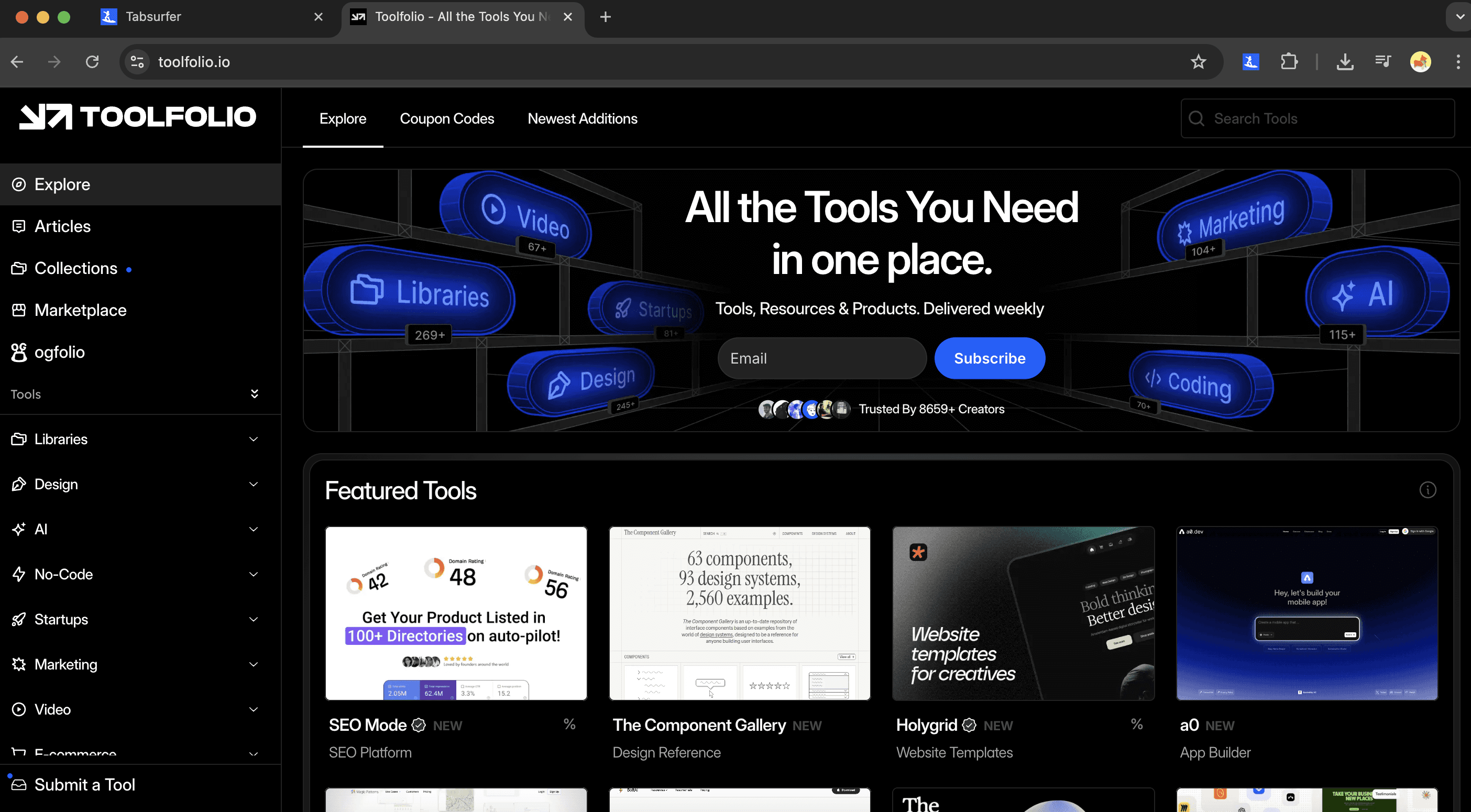
Step 1: Open Google Chrome and make sure you have at least two tabs open in the same window.
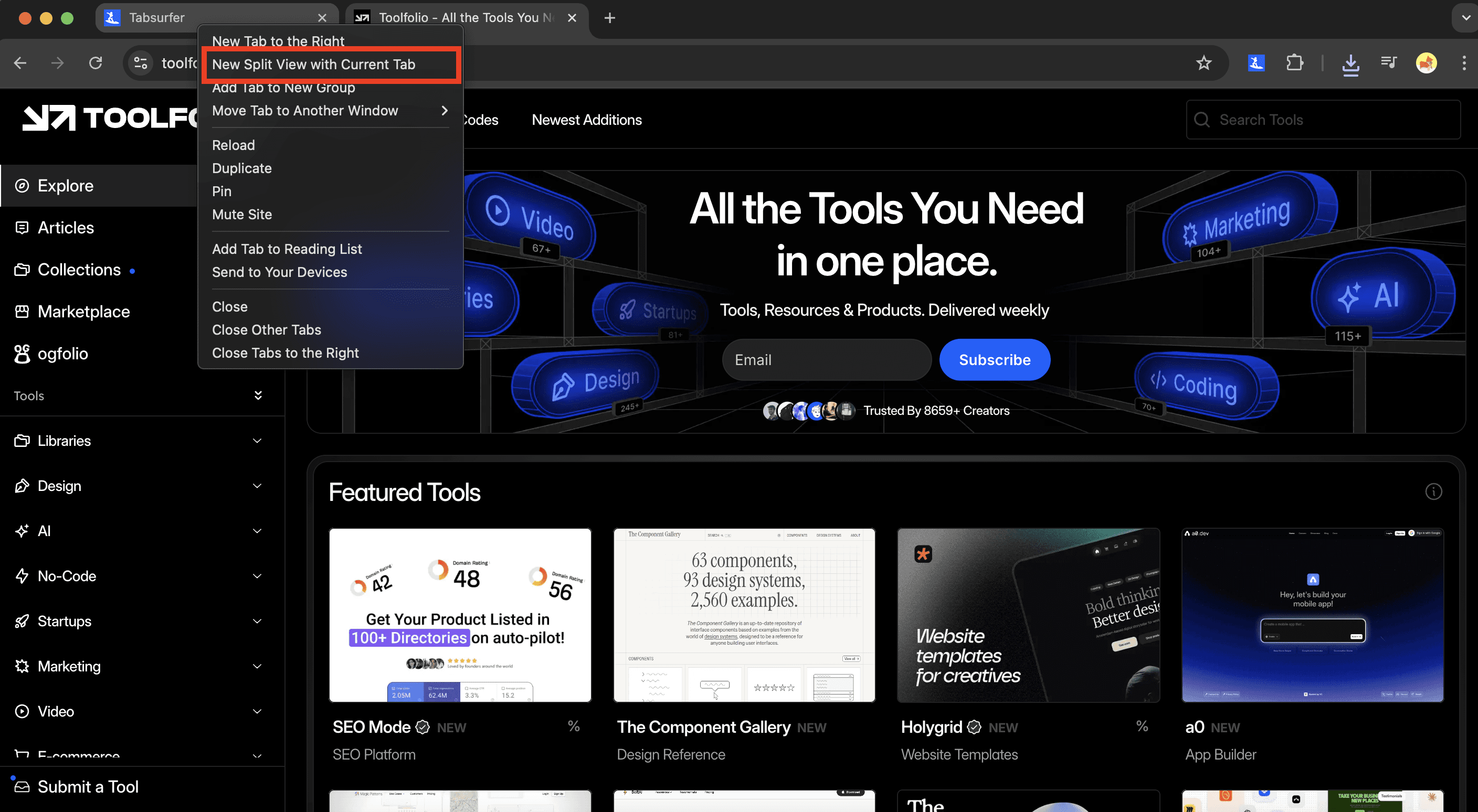
Step 2: Right-click on one of the tabs at the top of the browser. Click “New Split View with Current Tab.” Chrome will merge the two tabs and place them side by side in one window.
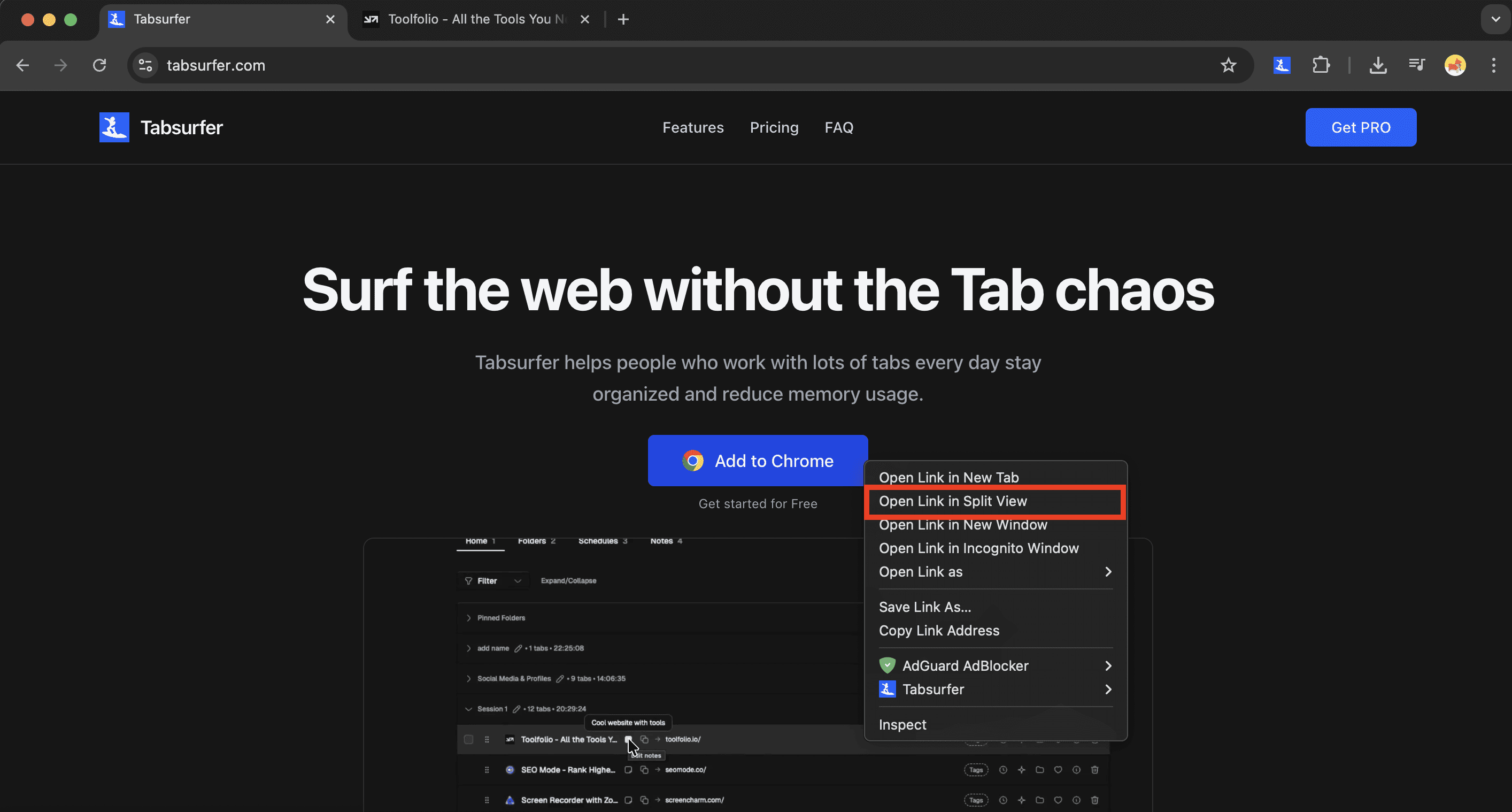
Step 3: To open a link directly into Split View, right-click any link and choose “Open Link in Split View.”
The link will appear on the empty side of the split tab.
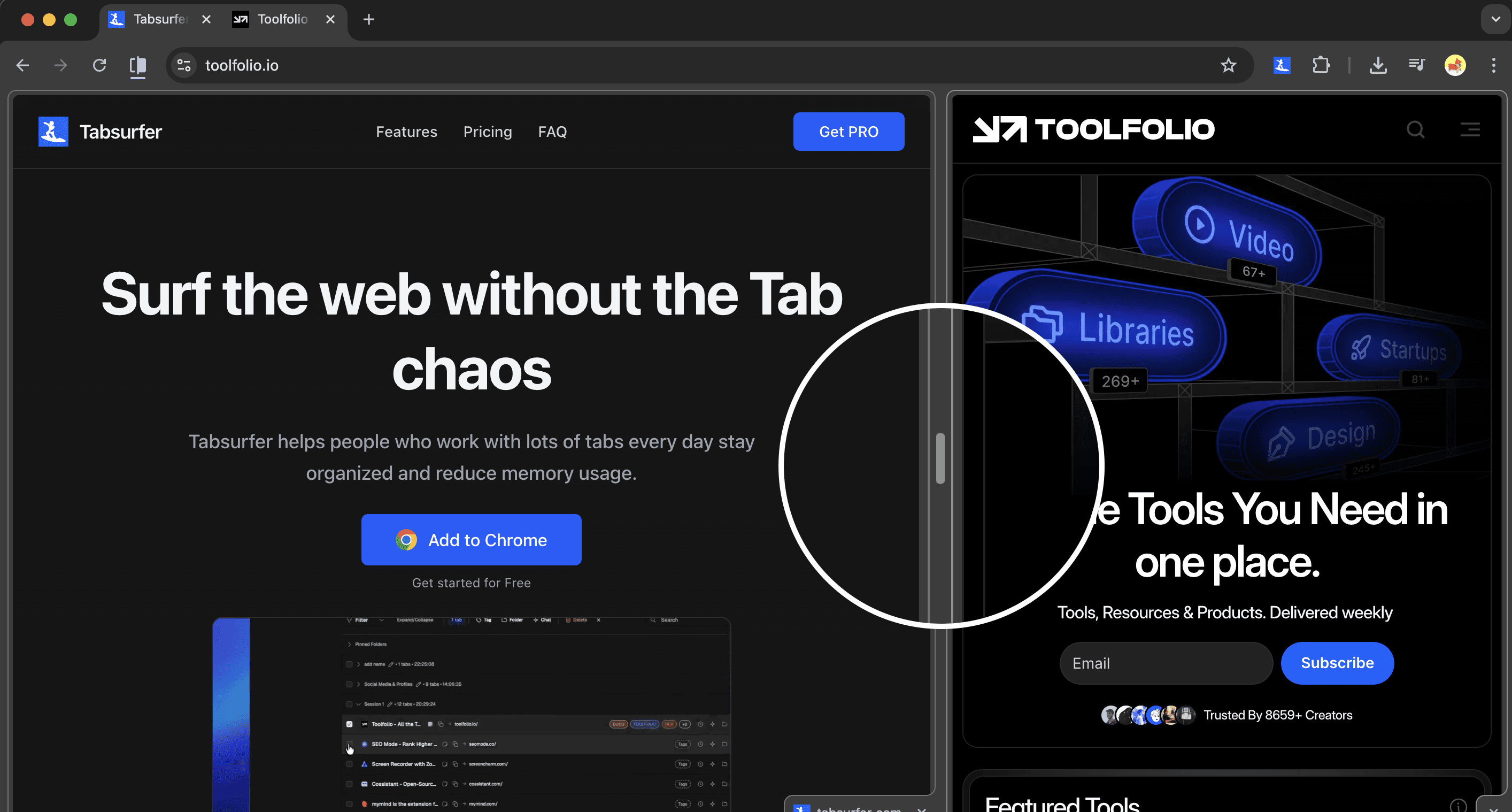
Step 4: Drag the divider in the middle of the screen to resize each panel and give one site more space than the other.
Step 5: To switch the left and right pages, right-click the split tab or click the Split View icon next to the address bar, then select Reverse views.
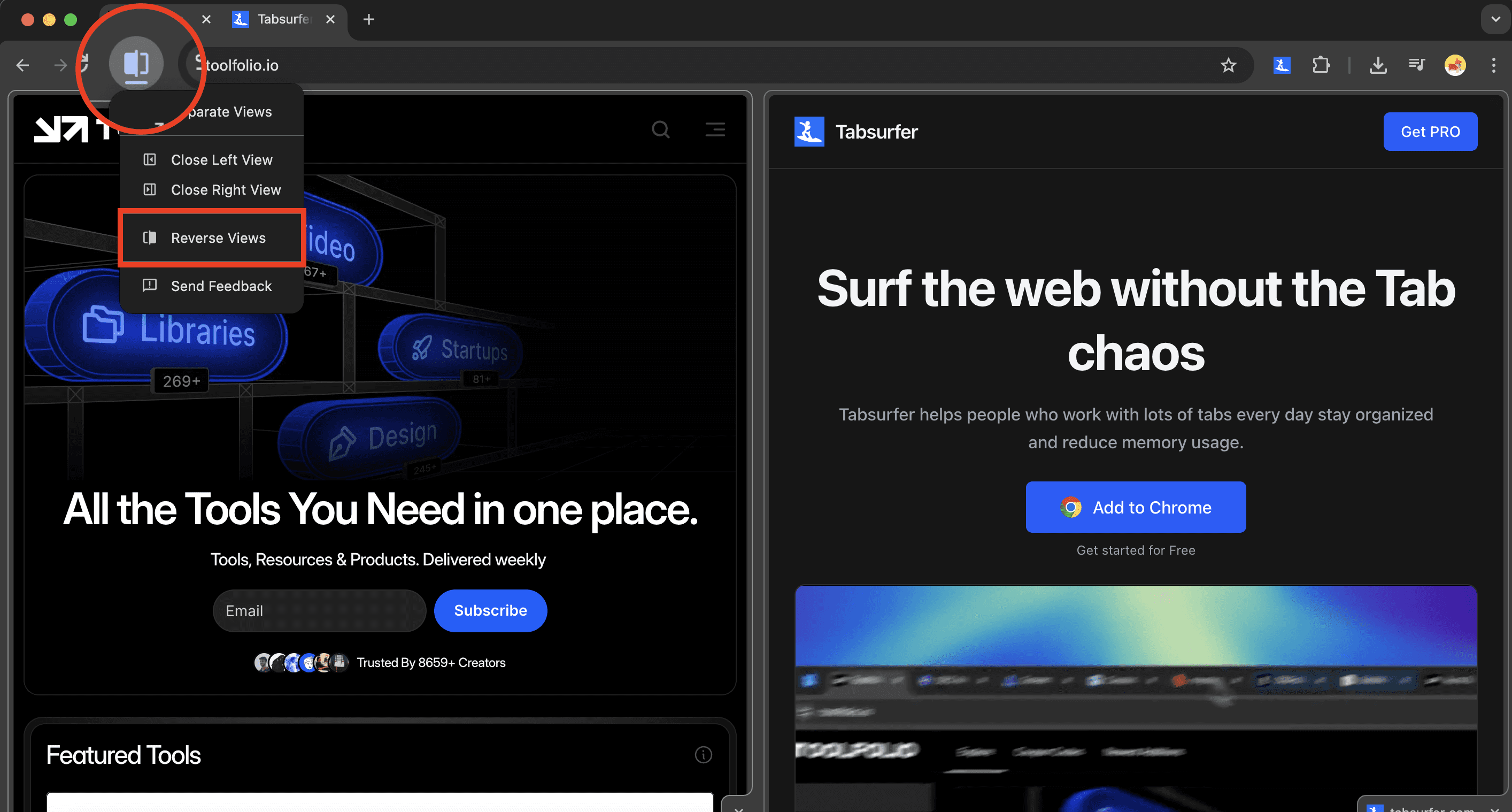
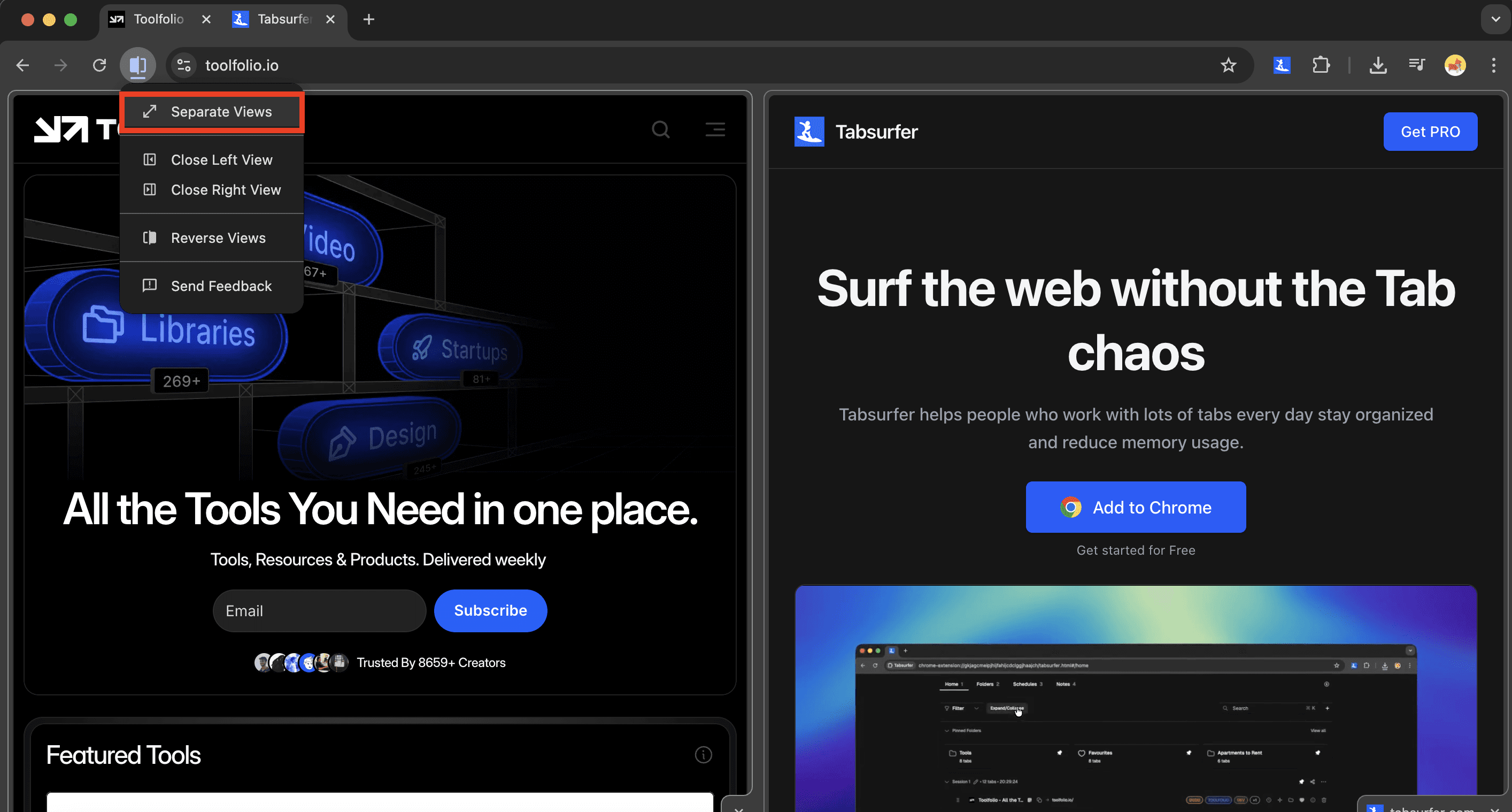
Step 6: To exit Split View, right-click the merged tab and choose Separate views, or use the Split View menu and select the same option.
Important note: Go to Chrome Settings >> Appearance and make sure “Allow split view drag-and-drop on left or right edge of window” is enabled.
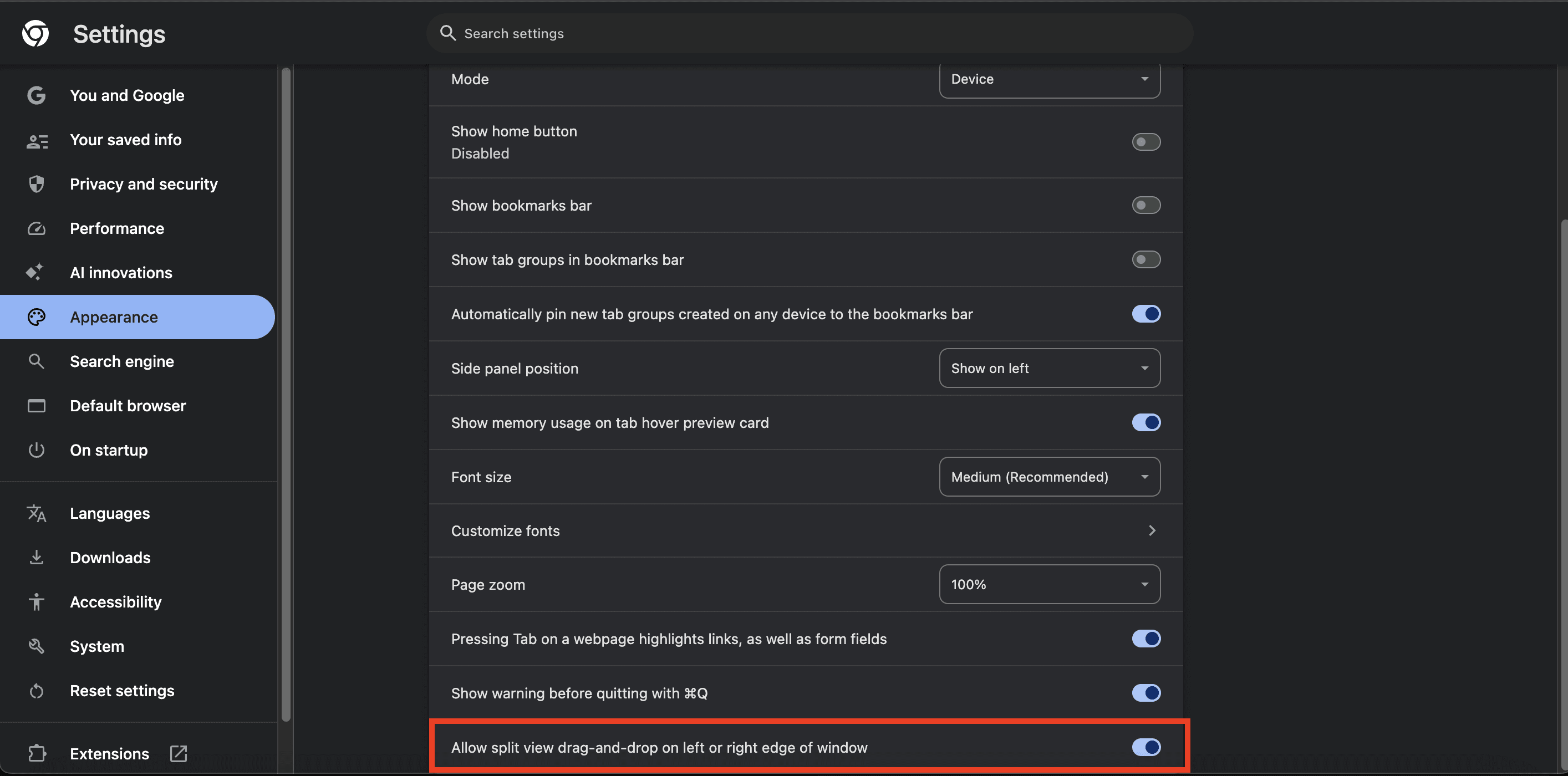
Without this option turned on, dragging tabs or links to create Split View may not work as expected.
My Final Thoughts: Split View in Chrome Is Awesome
Chrome’s Split View is one of those rare browser features that actually earns its place. It doesn’t add visual noise, it doesn’t complicate tabs, and it doesn’t ask you to change how you already browse. It simply makes common tasks easier.
If you spend most of your day in Chrome, researching, writing, comparing products, or studying, being able to open two tabs side by side inside a single tab feels like a real upgrade. It cuts down on tab overload, reduces window juggling, and keeps your focus where it belongs.
This won’t matter much if you only keep a few tabs open or browse casually. But for power users, Split View solves a problem that’s existed for years. After using it regularly, going back to the old way feels slower and less efficient.
Chrome doesn’t need more experimental features. It requires useful ones. Split View fits that description, and if Google continues to improve it, this could become one of the best multitasking features Chrome has ever added.
Now am waiting for Vertical Tabs in Chrome. Are you?
You May Also Like













Featured Tools







Newest Additions





















AI Image & Video Generation

































Vibe Coding Library



























































Screenshot & Screen Recording Tools
















