


7 Best ADHD Apps for Mac (2026)
Check out the best ADHD apps for Mac to improve focus, manage tasks, reduce distractions, and boost daily productivity on macOS.

Dudu
Dec 23, 2025
Last Updated Dec 23, 2025
Image Credit: Toolfolio
Trying to work on a Mac with ADHD can feel exhausting. You sit down to focus, but your mind drifts halfway through a sentence. You reread the same page again and again. Simple tasks like emails, laundry, or planning your day feel far harder than they should.
It is not laziness. It is mental overload. Too many thoughts at once. Ideas disappear mid-way. Focus breaks even when you care about the task. This is why many people search for the best ADHD apps for Mac. They are not looking for more features. They want help staying present, finishing tasks, and reducing daily mental strain.
The right ADHD apps for macOS can add structure, limit distractions, and support how your brain actually works.
This post covers the best ADHD apps for Mac that help with focus, planning, and follow-through, without making things more complicated.
Comparison: Best ADHD Apps for Mac (Quick View)
Each app below solves a different ADHD problem. Some help with planning. Some help with focus. Some reduce friction. This table helps you choose fast.
What each app is best for (short)
Tiimo: Visual planning, routines, and gentle structure
Blitzit: Focus, time blindness, and momentum
TypoTab: Writing faster without breaking focus
Todoist: Mental offload and task capture
Lunatask: All-in-one life management for ADHD
Endel: Focus, calm, and sleep through sound
DeskMinder: Strong reminders you cannot ignore
Quick Comparison Table
App | Best For | Core Strength | ADHD Problem It Solves | Platform |
|---|---|---|---|---|
Tiimo | Daily planning | Visual timelines + AI breakdown | Starting tasks, time awareness | Mac, iOS, Watch |
Blitzit | Deep focus | Floating timer + focus mode | Time blindness, drifting focus | Mac, Windows |
TypoTab | Writing | AI actions everywhere | Friction, context switching | Mac |
Todoist | Task capture | Fast input + filters | Forgetting tasks, overwhelm | Mac, iOS, Web |
Lunatask | All-in-one | Tasks + habits + mood | Decision fatigue, overload | Mac, Windows, Mobile |
Endel | Mental state | Adaptive soundscapes | Mental noise, restlessness | Mac, iOS, Watch, Web |
DeskMinder | Reminders | Full-screen alerts | Ignored notifications | Mac |
1. Tiimo

Tiimo is built for people whose brains do not work well with strict planners. It helps when starting feels hard, time feels slippery, and tasks feel bigger than they are. Instead of long lists, Tiimo shows your day as a visual timeline you can actually follow.
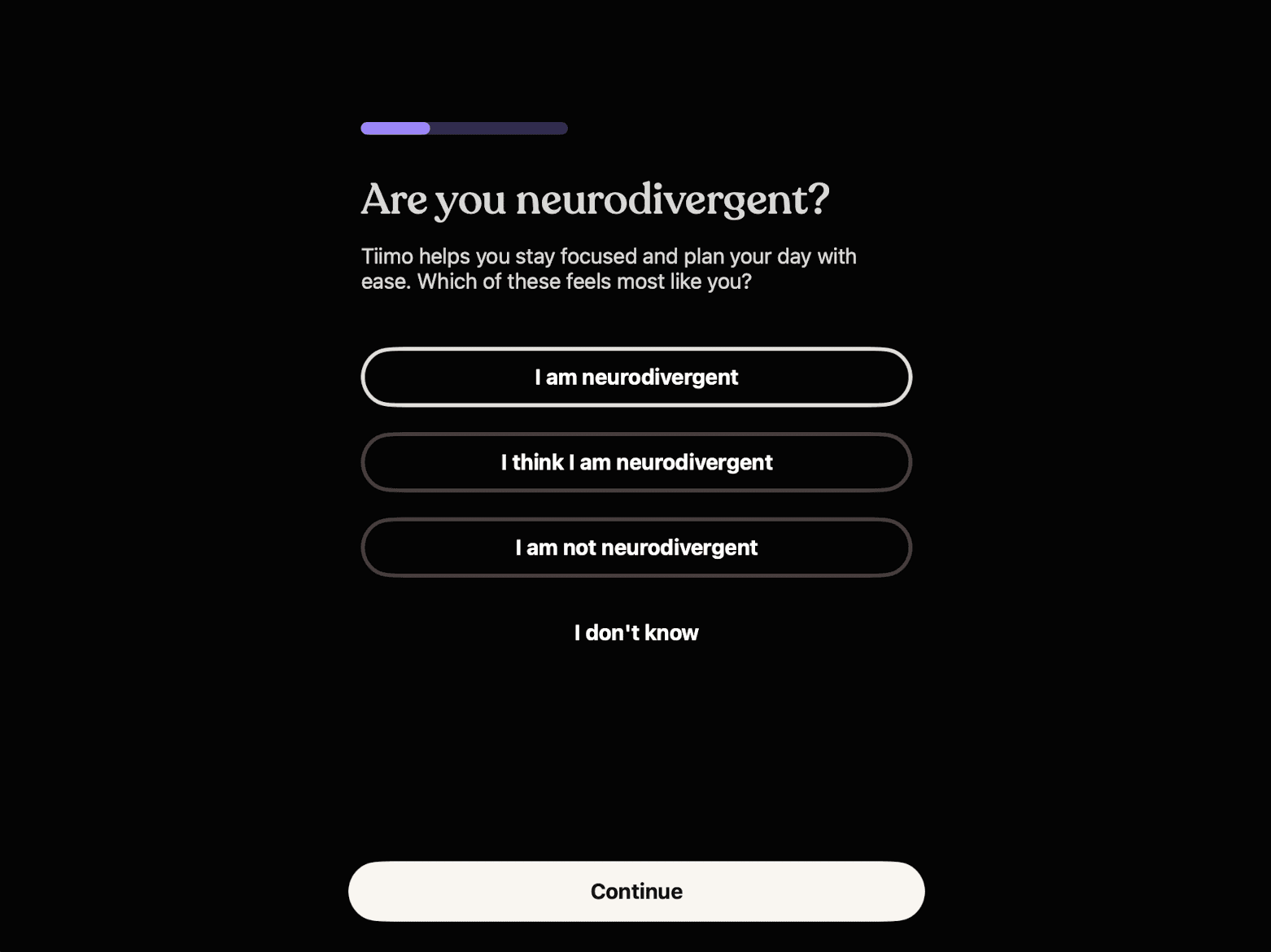
You can type or speak what is on your mind. Tiimo’s AI turns that brain dump into clear steps, adds time estimates, and places tasks into your day. This helps when you know what you need to do but cannot figure out where to start.
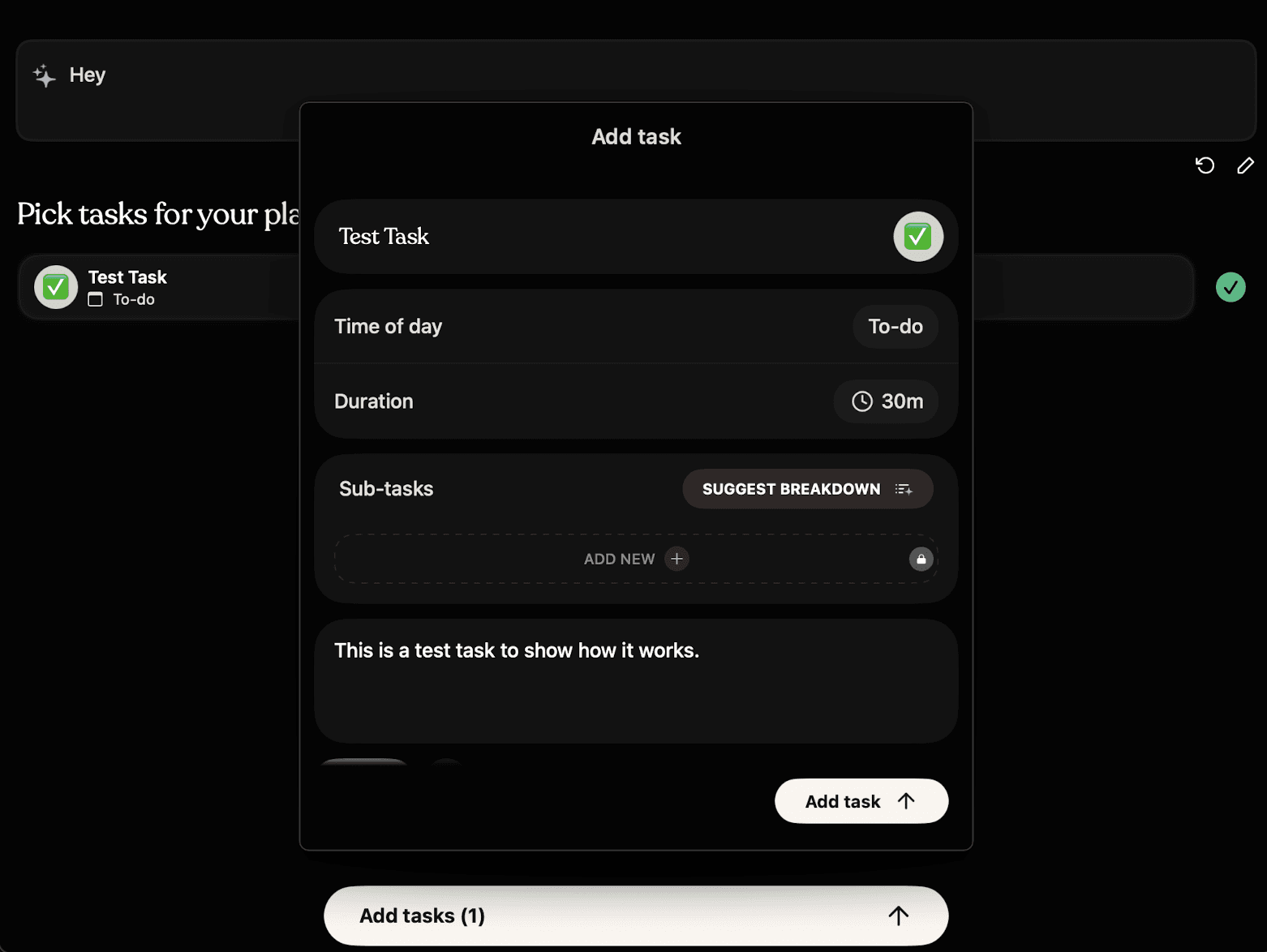
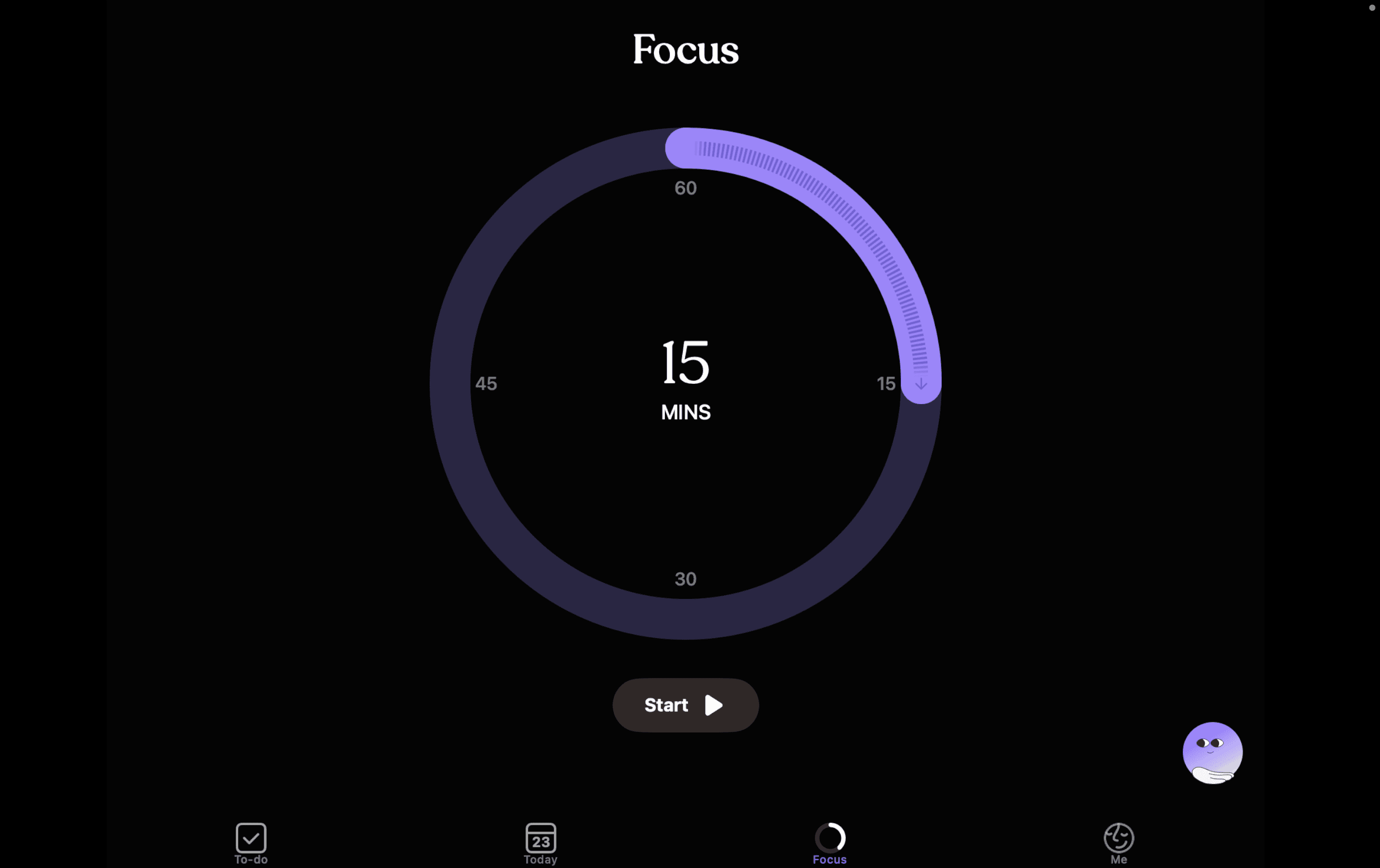
Tiimo also helps with focus. Its visual timer shows time passing, so you stay grounded in the task instead of drifting away. Routines feel lighter because the app guides you step by step. You can plan on your Mac and continue on your phone or watch without losing context.
The app stays flexible. You can reshuffle tasks, skip a day, or start fresh without guilt. It supports ADHD and executive function needs without pressure or overload.
Key Features:
AI planner that breaks tasks into simple, doable steps
Visual timelines that show your day, week, or month clearly
Focus timer that helps you start, switch, and stay on task
To-do lists with priorities that feel manageable
Custom colors, icons, and layouts to match how you think
Widgets that show what is next without opening the app
Mood tracking to spot patterns in focus and energy
Full sync across Mac, iPhone, iPad, and Apple Watch
Pricing:
Free plan with basic planning and routines
Pro plan with unlimited AI planning and full features
Subscription works across web and iOS apps
Cancel anytime
Try Tiimo
2. Blitzit
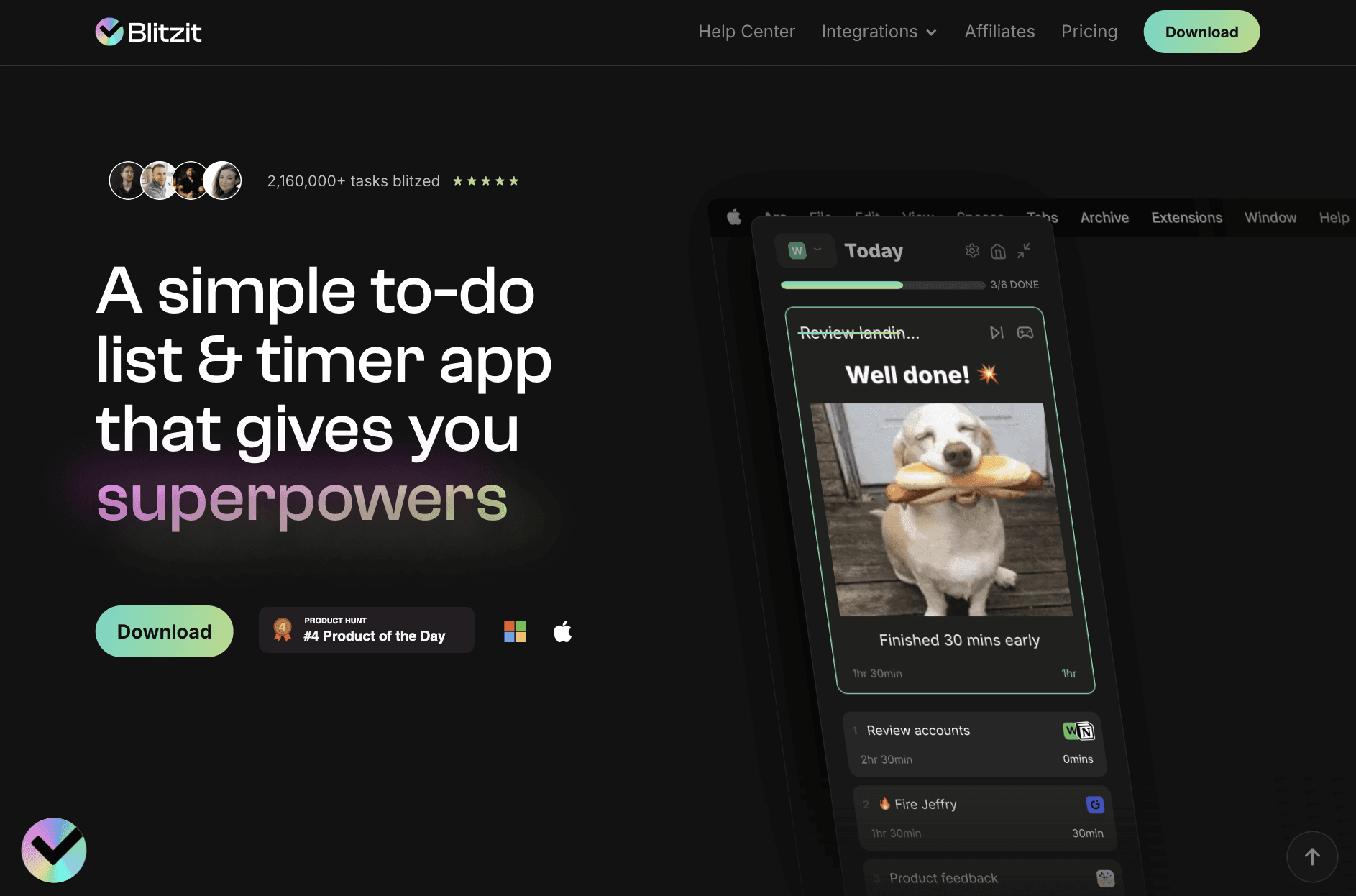
Blitzit is for people who know what they need to do but struggle to stay on one task. It keeps things simple. You plan your day, enter focus mode, and work through tasks one by one. Nothing extra. No clutter.
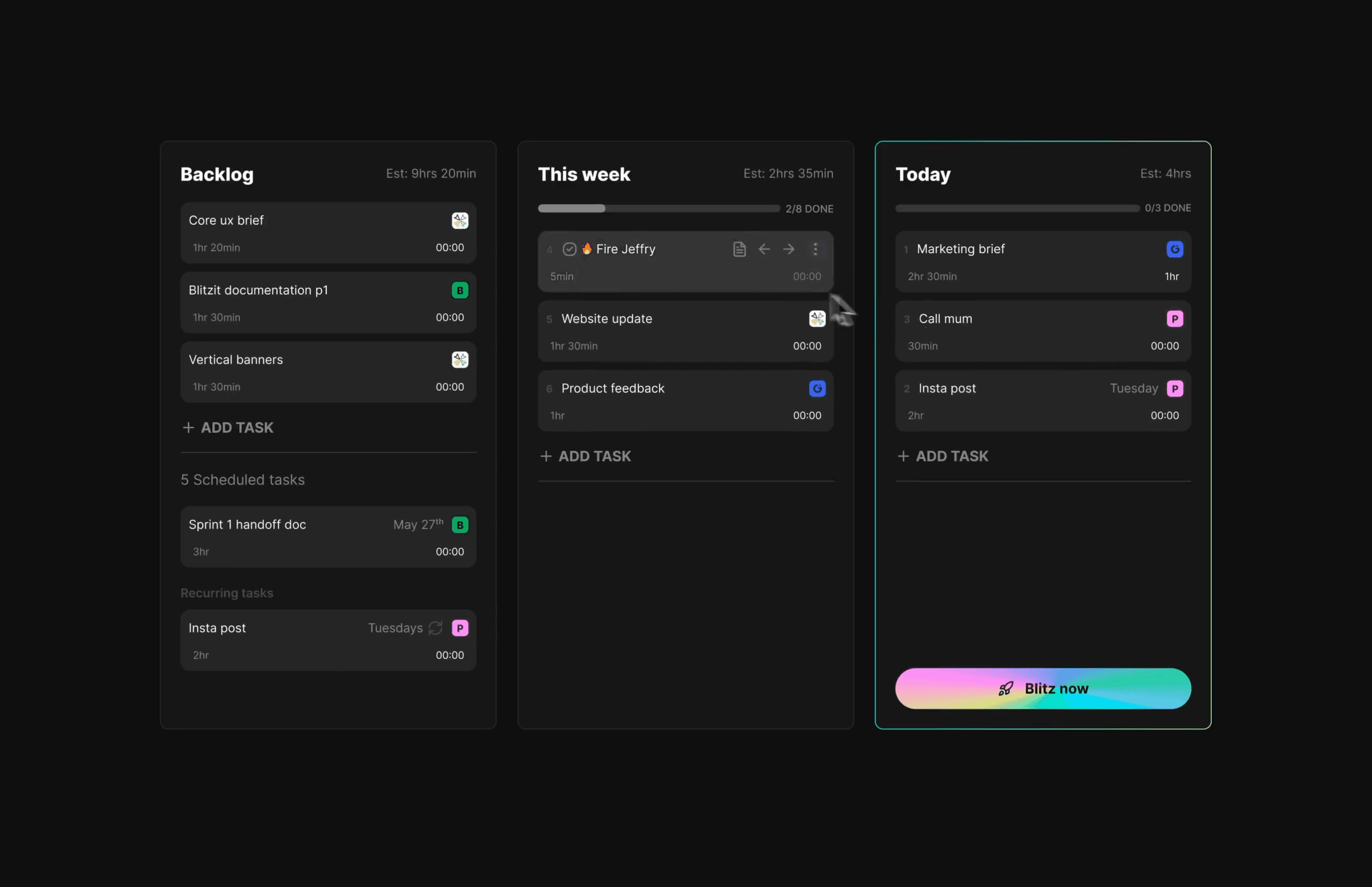
The core idea is momentum. When you start a task, the timer starts with you. When you finish, the timer stops. This helps with time blindness and overworking without noticing. The floating timer stays on your screen, so you cannot forget what you are doing.
Blitzit also gives small dopamine hits when you finish tasks. Visual feedback, simple animations, and clear progress help your brain stay engaged. For ADHD users, this makes a real difference.
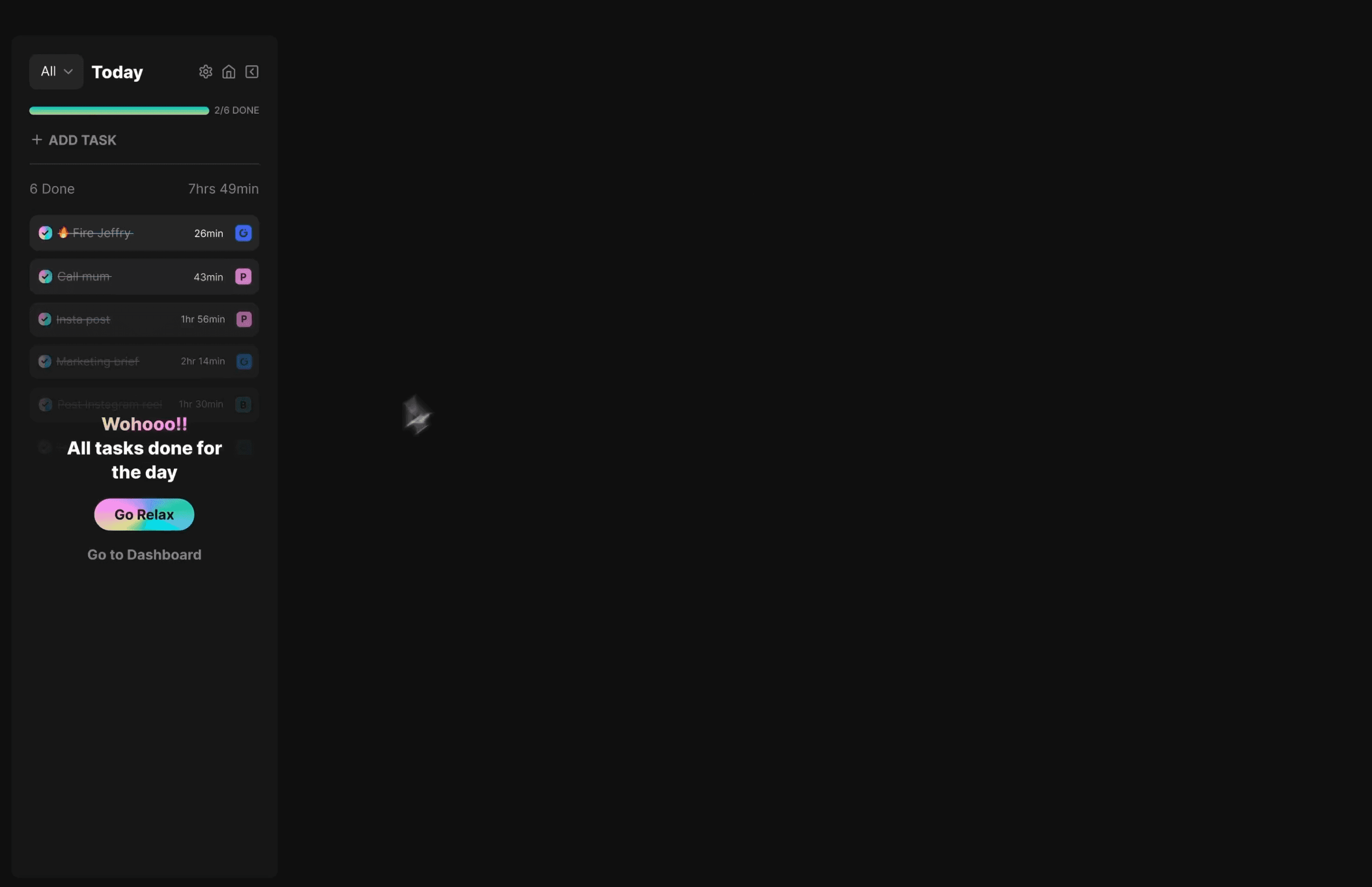
You can estimate how long a task should take and compare it with the actual time spent. Over time, this helps you plan better and avoid overloading your day. Everything stays focused on today, not a giant system you never finish setting up.
Key Features:
Simple to-do lists focused on today and this week
Focus mode that hides distractions while you work
Floating timer that stays visible on your screen
Pomodoro-style work and break intervals
Time estimates with actual time tracking
Satisfying task check-offs with visual rewards
Notes inside tasks for links and quick thoughts
Recurring and scheduled tasks with reminders
Productivity reports to review time spent
AI assistant that turns brain dumps into tasks
Pricing:
Free trial: 7-day trial with full access to Blitzit features
Monthly plan: $4.99 per month for unlimited tasks, lists, focus mode, timers, and reports
Lifetime plan: One-time payment of $97 for full access, unlimited use, and all future updates\
Try Blitzit
3. TypoTab
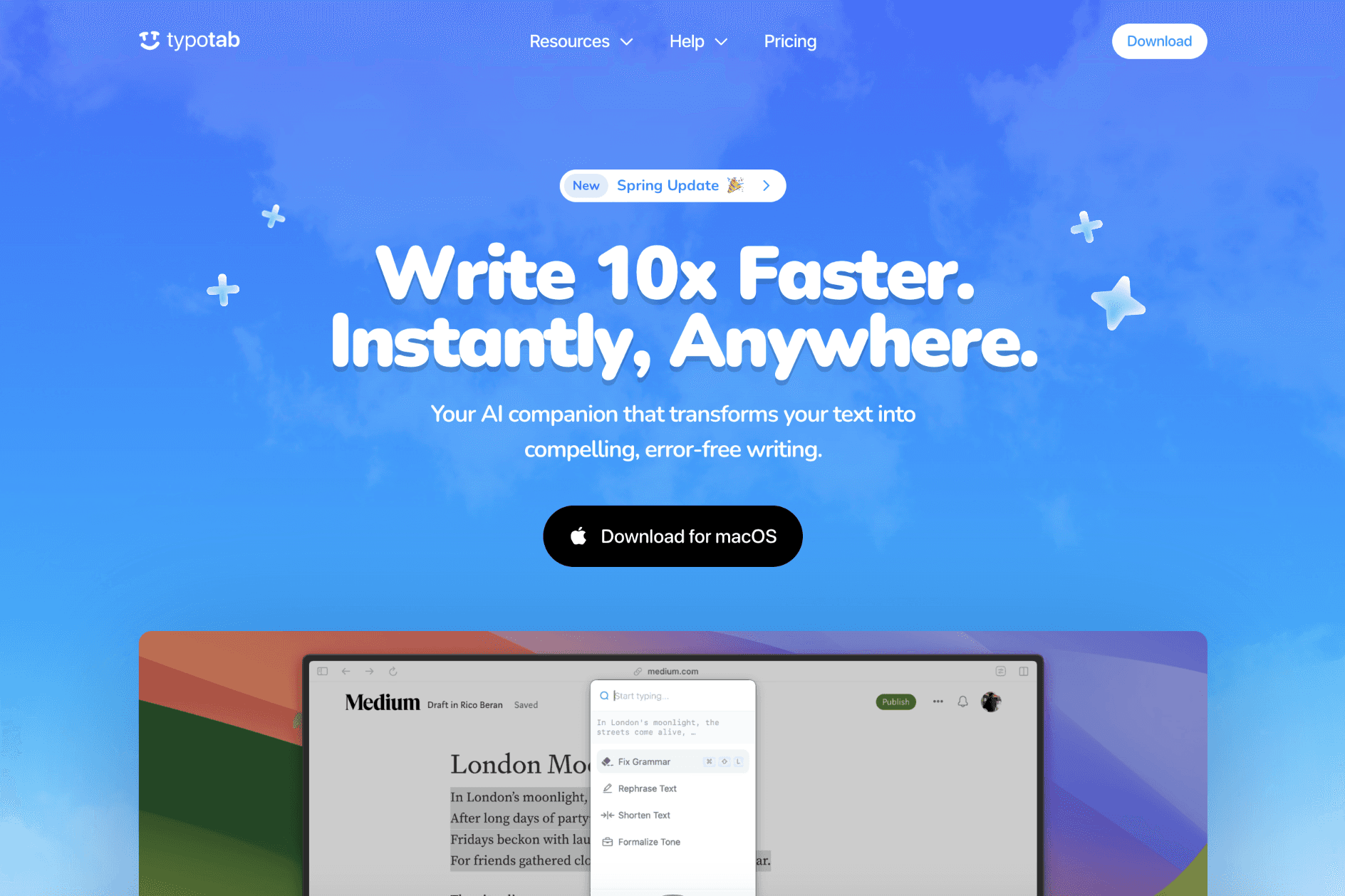
TypoTab is made for moments when your thoughts are clear but typing feels slow or messy. It sits quietly in your Mac menu bar and helps you write better without switching apps. You stay where you are. TypoTab comes to you.
For ADHD users, this removes friction. You do not open a new tab. You do not copy and paste. You highlight text, press a shortcut, and fix it instantly. This helps when momentum is fragile and breaking focus means losing the task.
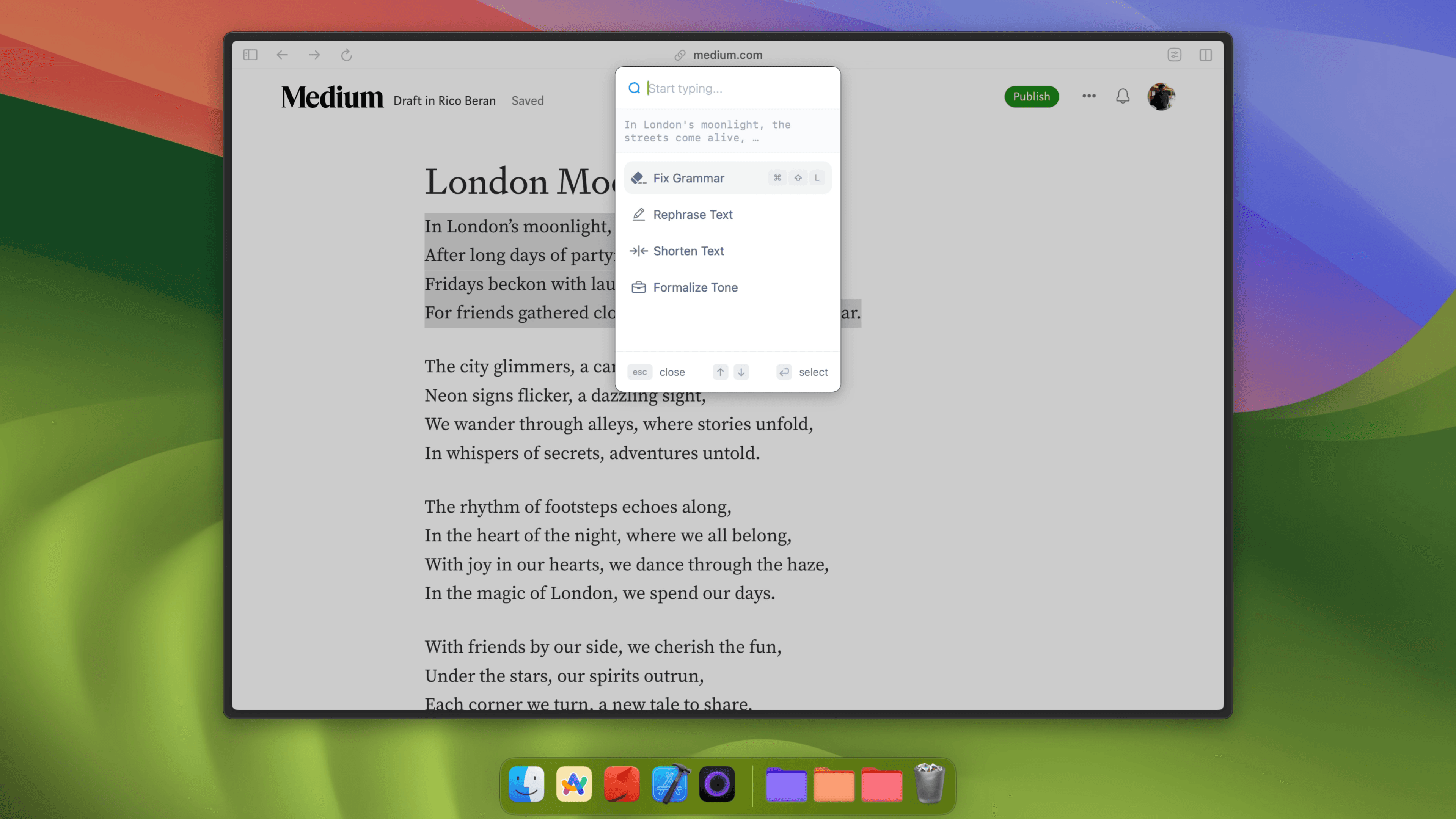
TypoTab works in almost every app. Emails, docs, Slack, Notion, browsers, and even code editors. You can fix grammar, shorten text, rephrase sentences, or expand rough notes into clean writing. Everything happens in place.
You can also customize actions. If you repeat the same writing tasks daily, TypoTab turns them into one shortcut. This is useful for emails, studying, proposals, or quick replies when mental energy is low.
The app stays invisible until you need it. No clutter. No distraction. Just fast writing help when your brain is already tired.
Key Features:
AI writing tools available anywhere on macOS
Works inside all apps without switching context
Keyboard shortcuts for instant actions
Fix grammar, rephrase, shorten, or expand text
Turn raw notes into clean, structured writing
Custom actions for repeated writing tasks
Menu bar only. No pop-ups or clutter
Designed to keep focus and momentum intact
Pricing:
Monthly plan: £6 per month with full access
Yearly plan: £4 per month billed annually
Unlimited AI usage on one device
Try TypoTab
4. Todoist
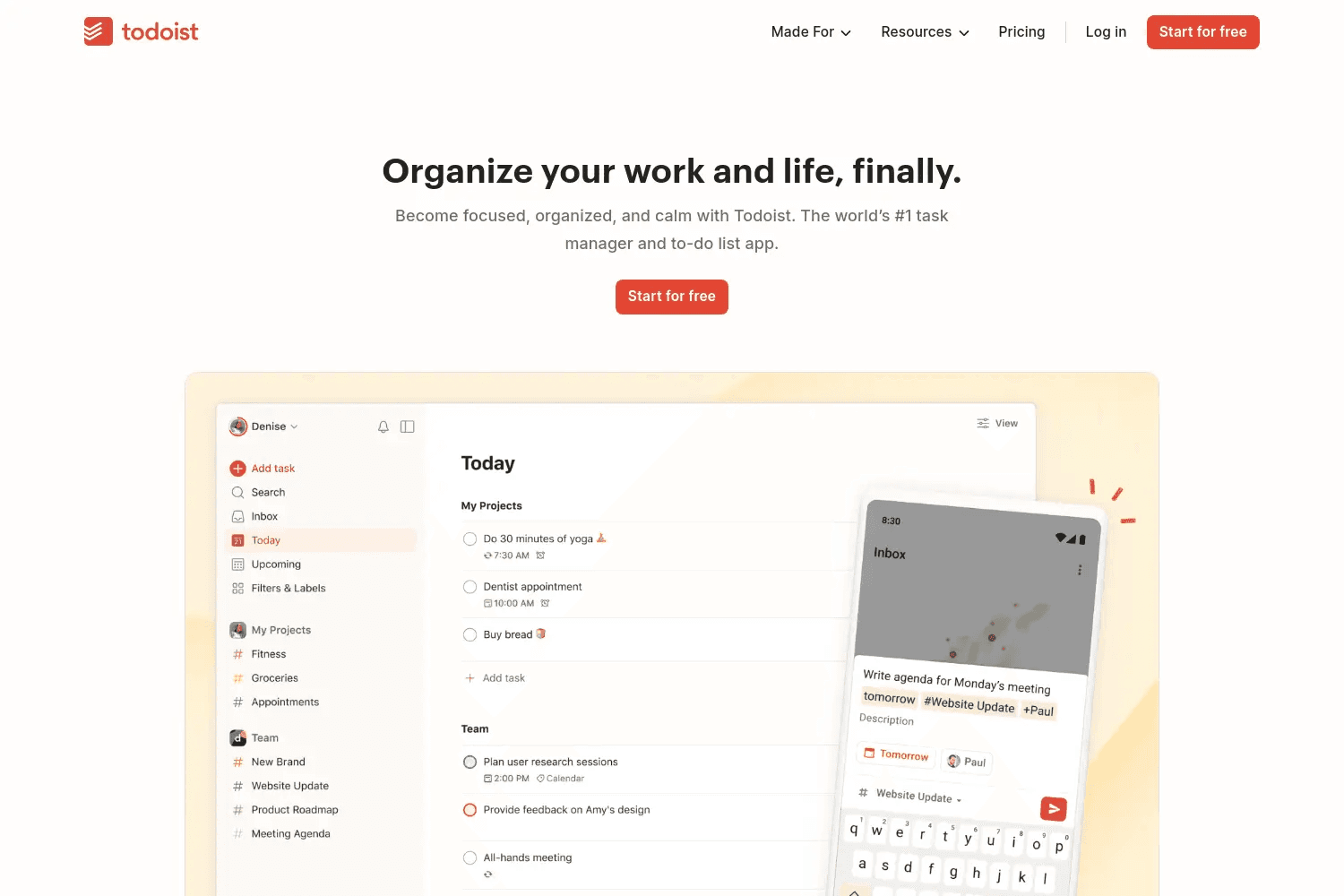
Todoist helps by giving every thought a safe place to land.You add tasks the moment they appear in your head.
You do not need to think about structure first. Todoist understands natural language, so typing feels close to thinking. Once tasks are inside, the app sorts them into clear views like Today and Upcoming. This reduces overwhelm and helps you focus on what matters now.
For ADHD users, Todoist works best as a mental offload tool. You stop relying on memory. You stop worrying about forgetting things. Tasks stay visible across all your devices, so you can capture ideas anywhere and plan later when your brain is calmer.
Todoist also supports routines and long-term planning. You can set recurring tasks, plan weeks ahead in calendar view, and use filters to show only the tasks that fit your energy level. It works well if you like simple systems or methods like GTD.
You can keep Todoist very basic or slowly build a system that fits your life. It grows with you without forcing complexity on day one.
Key Features:
Fast task capture with natural language input
Today and Upcoming views to reduce mental overload
Projects to separate work, personal, and life tasks
Filters to show only what you need right now
Recurring tasks for habits and routines
Calendar layout for weekly planning
Task durations and deadlines
Works across Mac, iPhone, iPad, web, and more
Pricing:
Free plan: Basic task management with limited projects
Pro plan: $5 per month with more projects, calendar view, reminders, and full history
Try Todoist
5. Lunatask
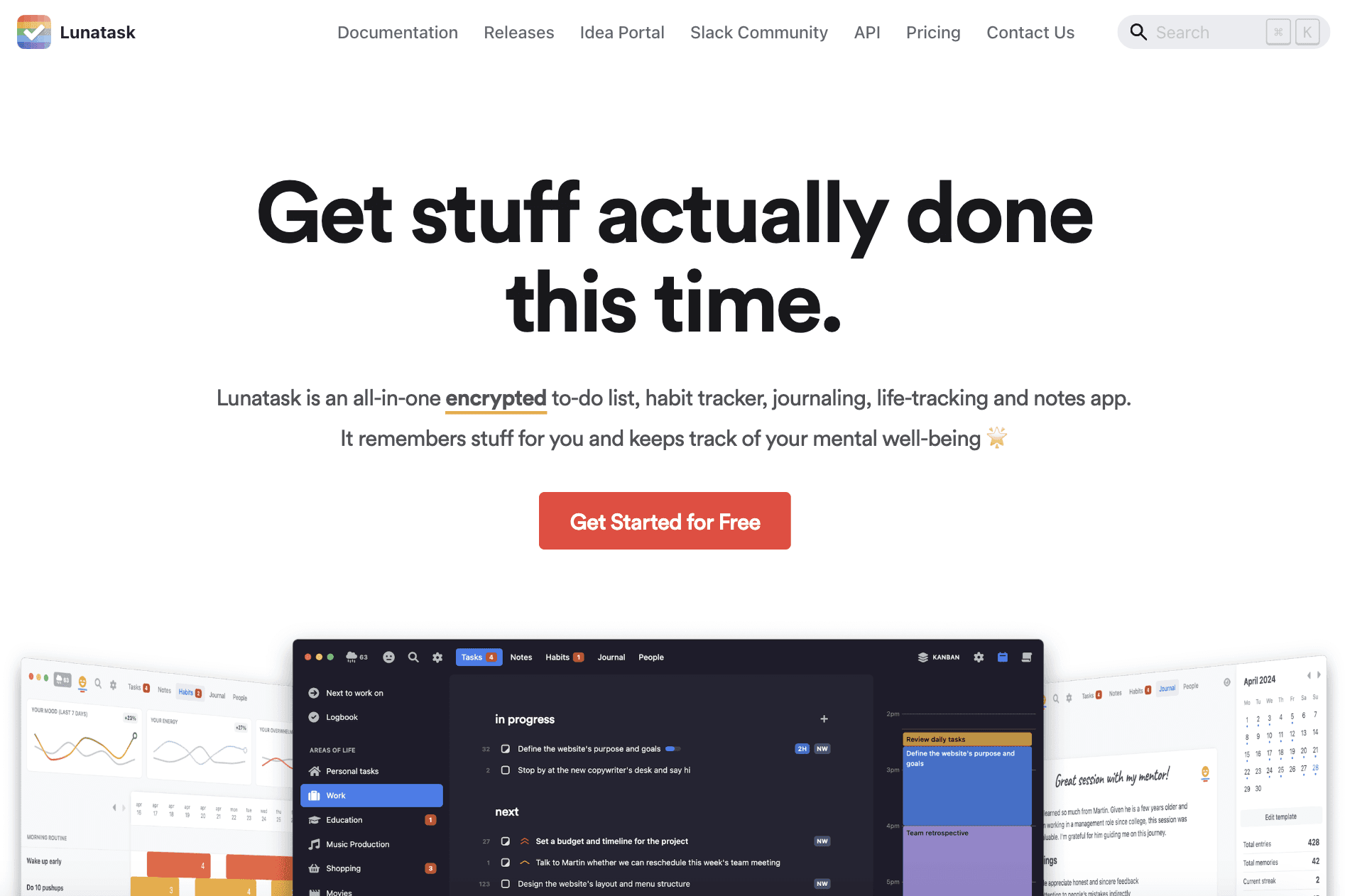
Lunatask is built for people whose lives feel scattered across too many apps. Tasks here. Habits there. Notes somewhere else. Lunatask puts everything in one place so your brain can slow down.
It works well for ADHD because it removes decision stress. You write tasks down and Lunatask helps decide what matters first. Tasks rise or fall based on urgency, effort, and whether you already started them. You do not need to constantly reorder lists.
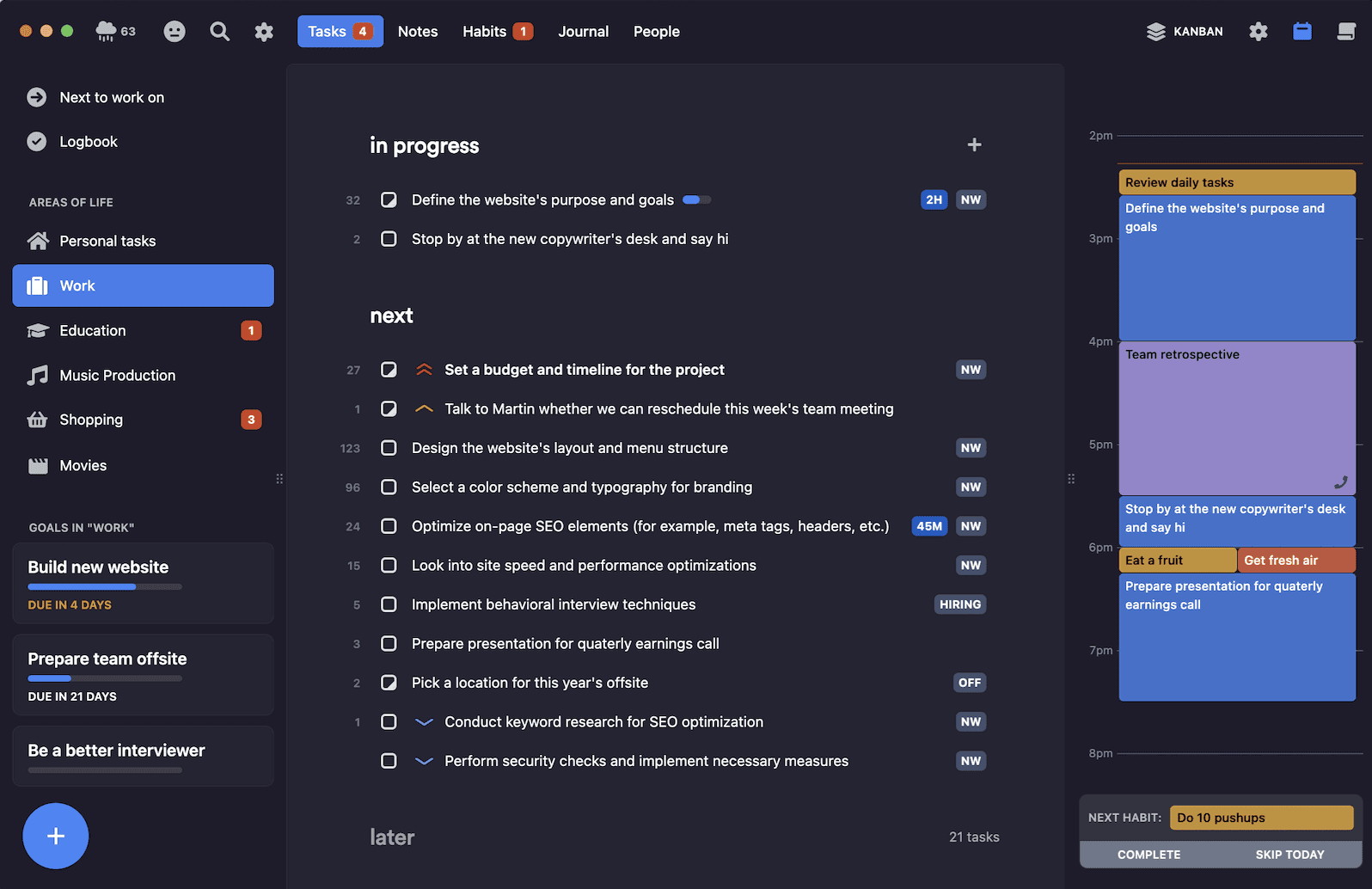
Time blocking is visual and forgiving. You connect your calendar, then drag tasks and habits into open time slots.
This helps when planning feels abstract or overwhelming. You can also limit how much work is “in progress” so you stop starting too many things at once.
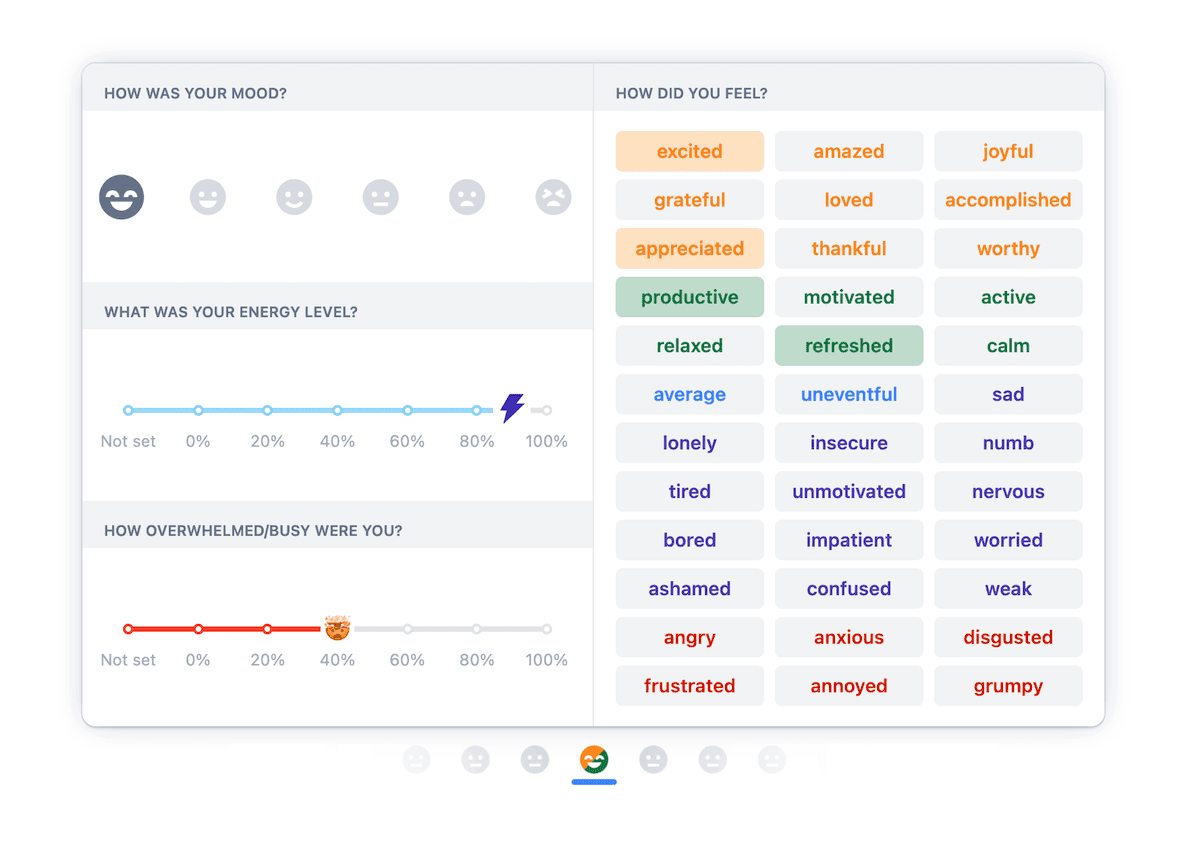
Lunatask goes beyond tasks. It tracks habits, mood, energy, stress, and journaling in the same space. This helps you see patterns over time and understand what helps or hurts your focus. Everything is end-to-end encrypted, so your data stays private.
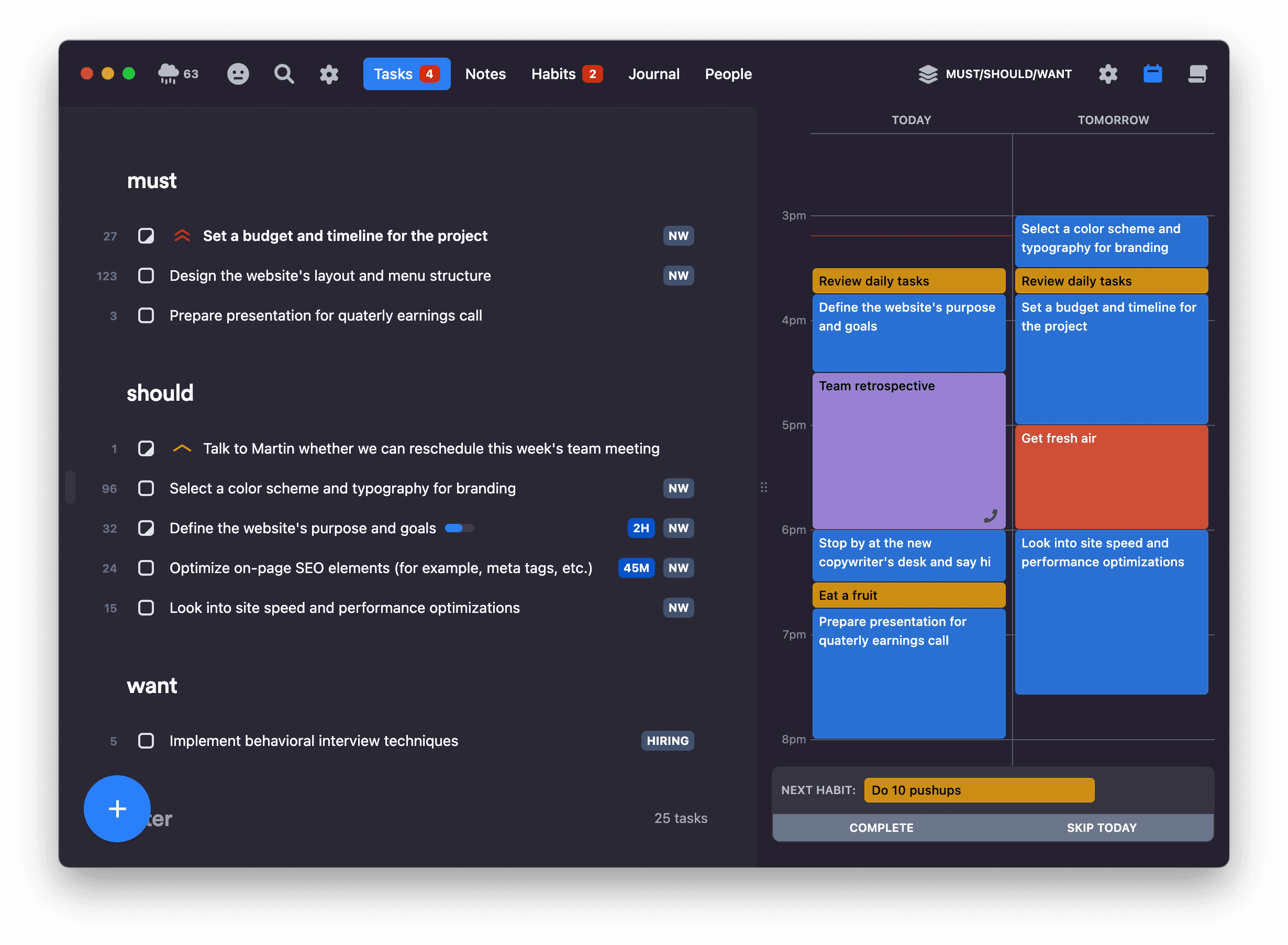
If you want one calm app to manage work, life, and mental load, Lunatask is designed exactly for that.
Key Features:
Smart task lists with automatic prioritization
Must / Should / Want method for easier decisions
Time blocking with daily calendar view
Pomodoro-style timers and task time estimates
Habit tracker with streaks and reminders
Mood, energy, and stress tracking
Built-in journaling with PIN protection
Notes and notebooks with templates
Areas of Life to hide tasks you do not need right now
Email, browser, Zapier, and API integrations
Full end-to-end encryption for privacy
Pricing:
Free plan: Core tasks, habits, notes, journaling, and smart prioritization
Premium plan: $6 per month billed yearly or $8 monthly with unlimited features
Try Lunatask
6. Endel
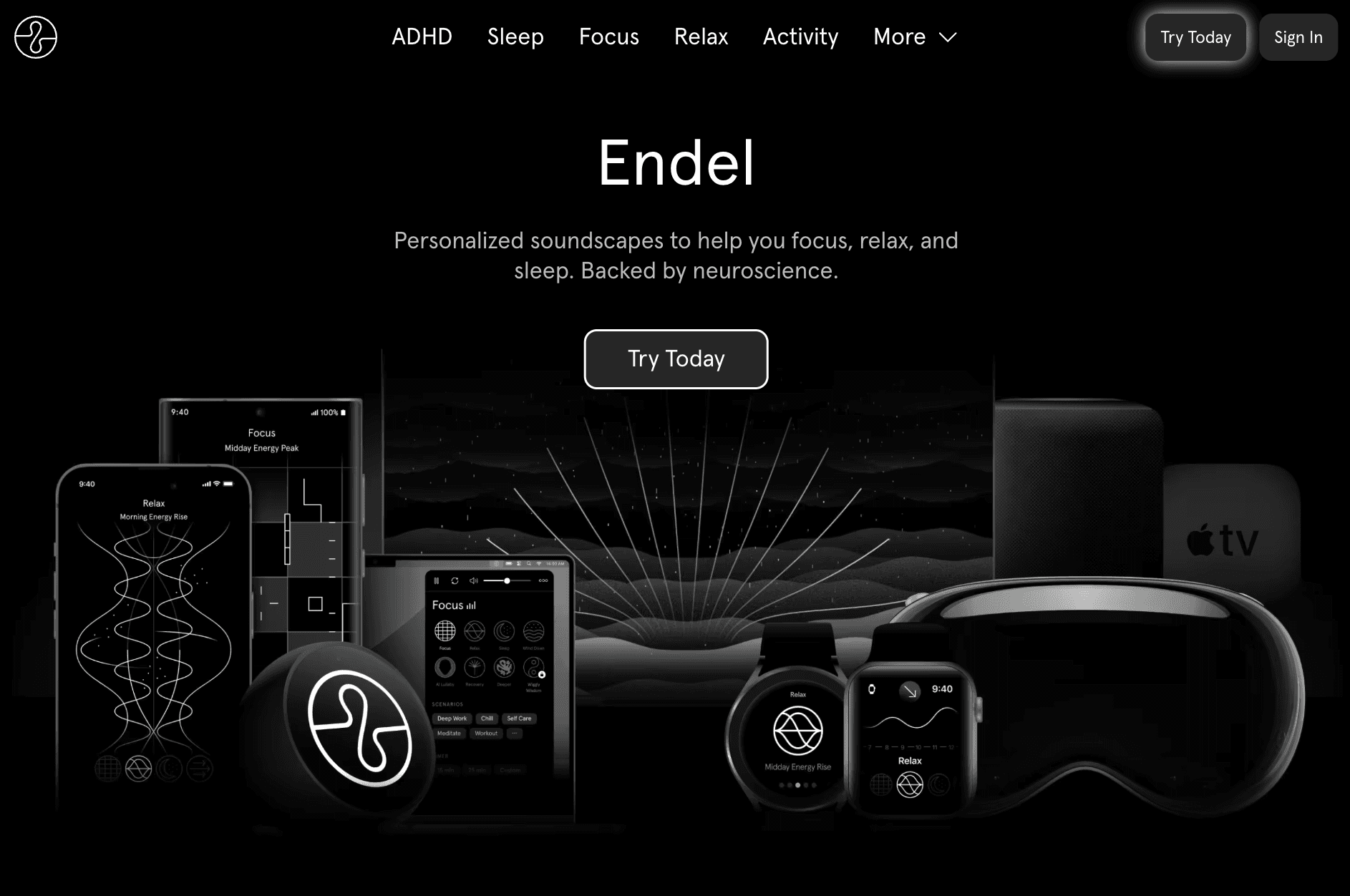
Endel is not a to-do app. It helps your brain get into the right state so you can actually focus, relax, or sleep. This matters for ADHD because the problem is often not motivation, but mental noise.
Endel creates personalized soundscapes that change in real time. The sounds adapt based on time of day, weather, location, and even heart rate if you use a wearable. You do not pick playlists. You press play, and the app does the work for you.
For focus, Endel reduces distractions and helps you stay in flow longer. The sound stays consistent, so your brain does not get pulled away like it does with music. For ADHD users, this can feel like switching the noise in your head off.
Endel also supports breaks, relaxation, and sleep. You can use it to calm racing thoughts, reset between tasks, or fall asleep faster. On Mac, the app stays minimal and quiet, so it does not compete with your work.
If your biggest struggle is staying mentally present, Endel works as a background support system for your attention.
Key Features:
Real-time personalized soundscapes for focus, sleep, and calm
Science-backed audio designed to reduce stress and boost focus
Focus soundscapes made for deep work and long sessions
Sleep soundscapes to quiet racing thoughts at night
ADHD-friendly modes like colored noise and binaural beats
Built-in focus timer based on Pomodoro technique
App blocker to reduce distractions while working
Works on Mac, iPhone, Apple Watch, web, and more
Pricing:
Monthly plan: €12.99 billed monthly
Quarterly plan: €39.99 billed every 3 months
Annual plan: €59.99 billed yearly
Lifetime plan: One-time payment of €279.99
Try Endel
7. DeskMinder
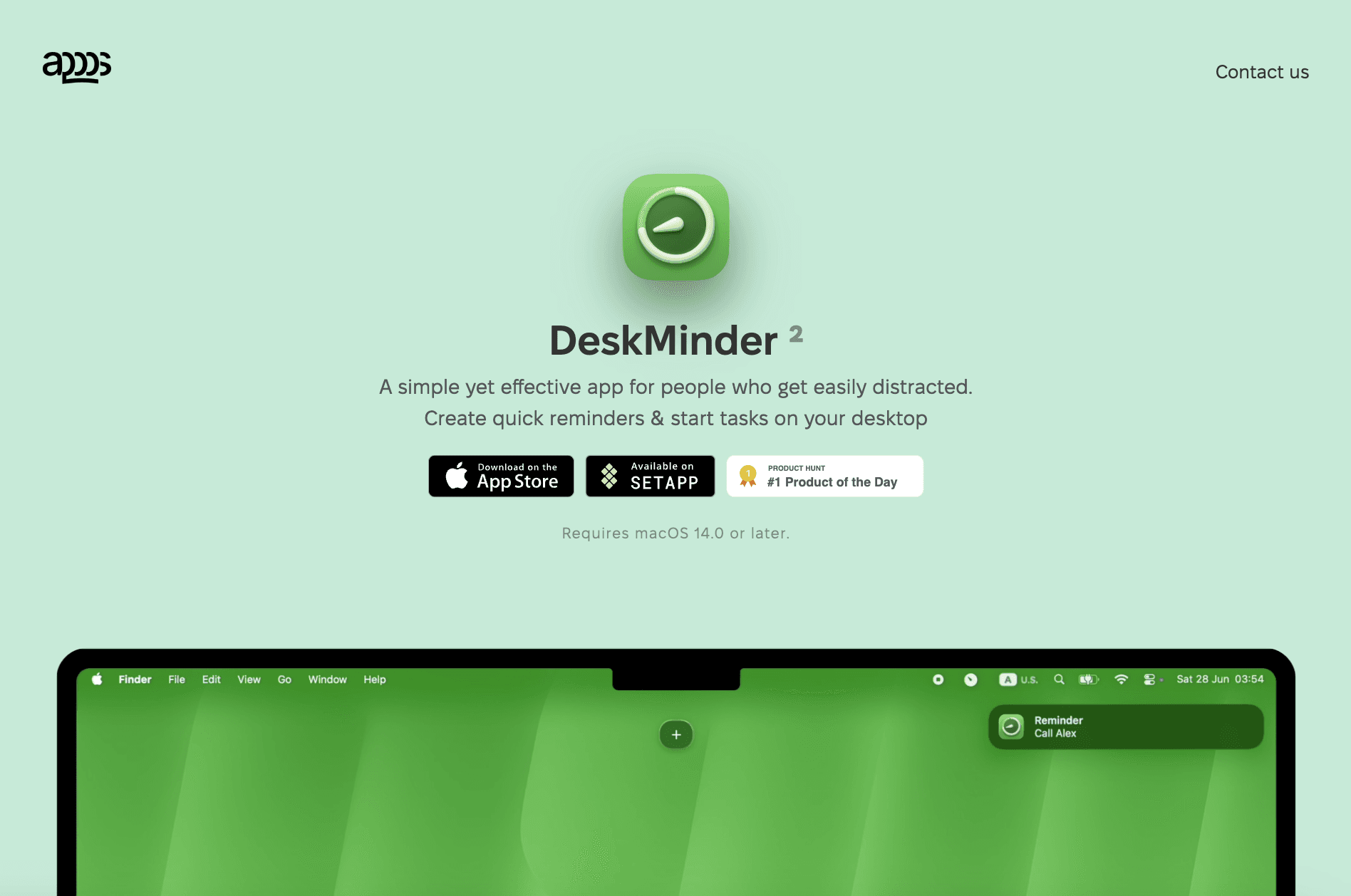
DeskMinder is built for moments when your brain drifts and reminders disappear from your mind. It puts tasks directly on your screen so you cannot miss them. There are no deep menus or long setup steps. You create a reminder and start the task right away.
The app is made for people who get distracted easily. Full-screen reminders break through hyperfocus or zoning out. When a reminder appears, it takes over the screen and pulls your attention back instantly.
This works well for ADHD users who ignore normal notifications.
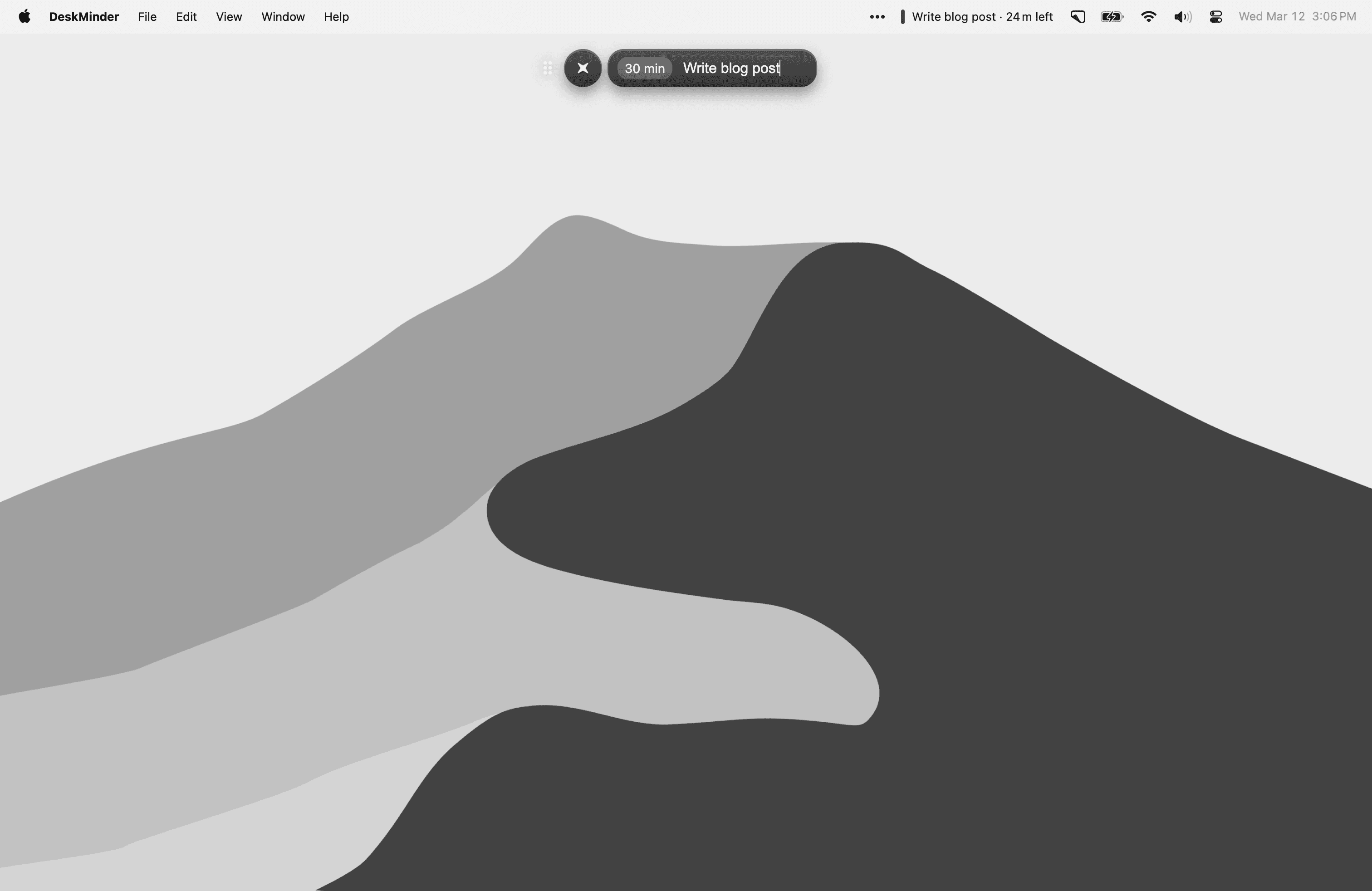
DeskMinder stays flexible. You can keep the widget visible, move it anywhere, hide it when needed, or run it from the menu bar. It feels native to macOS, with smooth animations and clean design that does not overwhelm.
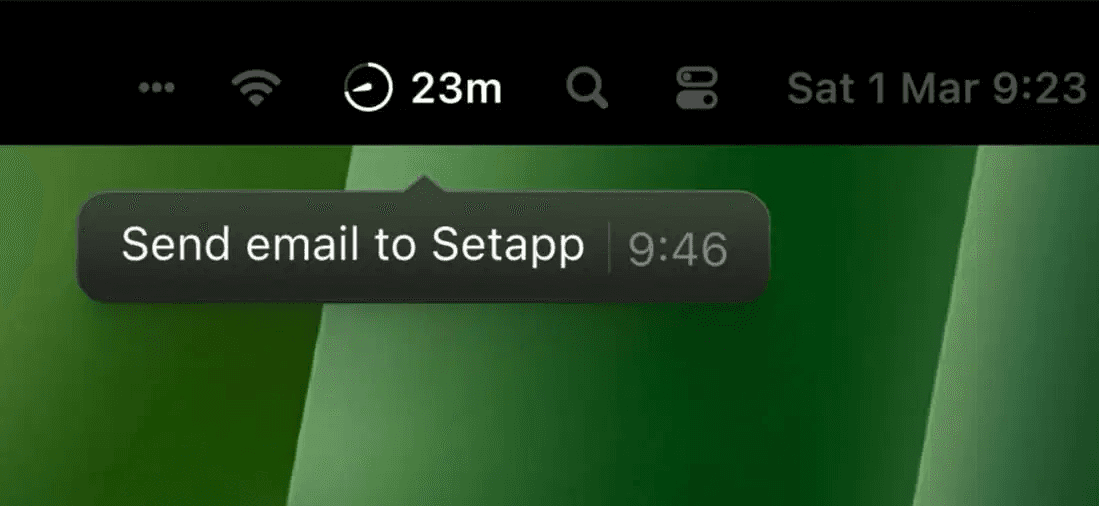
If you already use Apple Reminders, DeskMinder syncs with it. This means reminders follow you to your iPhone or Apple Watch, even when your Mac is closed.
Key Features:
Full-screen reminders that are hard to ignore
Quick desktop reminders with one click
Widget that can be moved, hidden, or pinned
Menu bar mode for minimal workflows
Apple Reminders sync for iPhone and Apple Watch alerts
Keyboard shortcuts to show or hide reminders
Smooth animations with native macOS feel
Task history to review past reminders
Pricing:
One-time purchase on the App Store
Available via Setapp subscription
No ads or recurring in-app payments
Try DeskMinder
Wrapping Up: Best ADHD Apps for Mac
Living with ADHD on a Mac does not mean you need one perfect app. It means you need the right tools for the right problems.
Focus, time blindness, planning, reminders, and mental overload are all different struggles. No single app fixes everything.
Start small. Pick one app that solves your biggest daily pain point. Use it consistently before adding another. The goal is not to be more productive. The goal is to make life feel lighter and more manageable.
These are the best ADHD apps for Mac because they respect how ADHD brains actually work. I hope this guide helped you. See you in the next one.
You May Also Like













Featured Tools








Newest Additions




















AI Image & Video Generation

































Vibe Coding Library


























































Screenshot & Screen Recording Tools
















